Assembly: Examining Every Byte of 'Hello, World!' — How Programs Actually Work at the Processor and OS Level
A deep dive into how programs actually execute at the processor and OS level, using a 'Hello, World!' program in assembly language to examine registers, system calls, ELF format, memory layout, and the linking process byte by byte.
Have you ever wondered what actually happens when you run a simple "Hello, World!" program? Not at the Python or C level, but all the way down — at the level of individual bytes, processor registers, and operating system calls? In this article, we'll trace the entire journey from assembly source code to actual execution, examining every byte along the way.
Absolutely everything in IT, when you look at the internals, is built on formalities and standards — from register calling conventions to ELF specifications. Understanding these formalisms provides essential context for how computer systems actually function, rather than treating them as magical black boxes.
What Is Assembly Language?
An assembler is a program that translates code written in assembly language into machine code. Assembly language is the lowest-level human-readable programming language — each instruction corresponds almost directly to a single machine code instruction that the CPU executes.
Unlike high-level languages where a single line might translate to dozens of machine instructions, assembly gives you direct control over every operation the processor performs.
CPU Registers: Ultra-Fast Memory
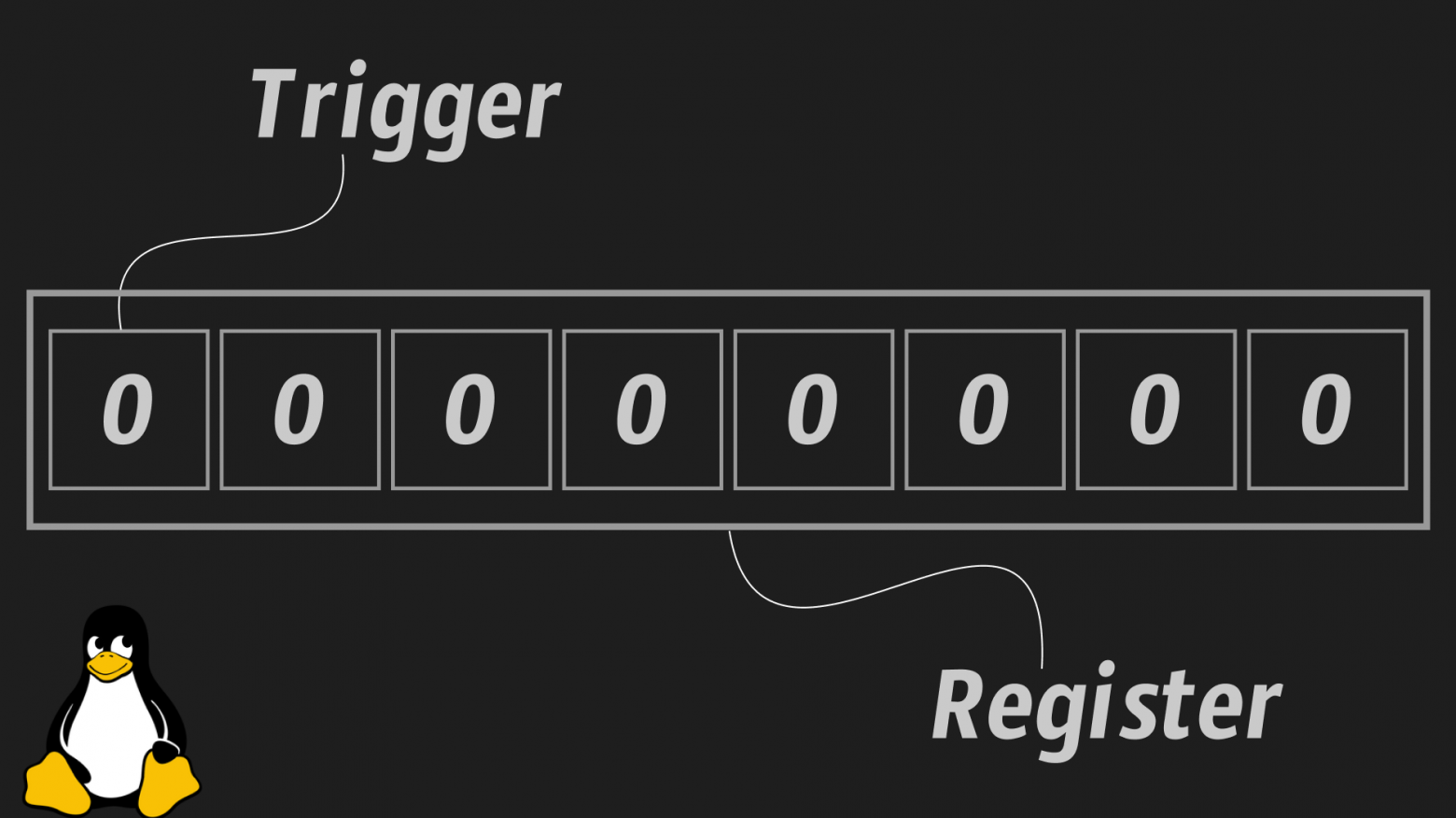
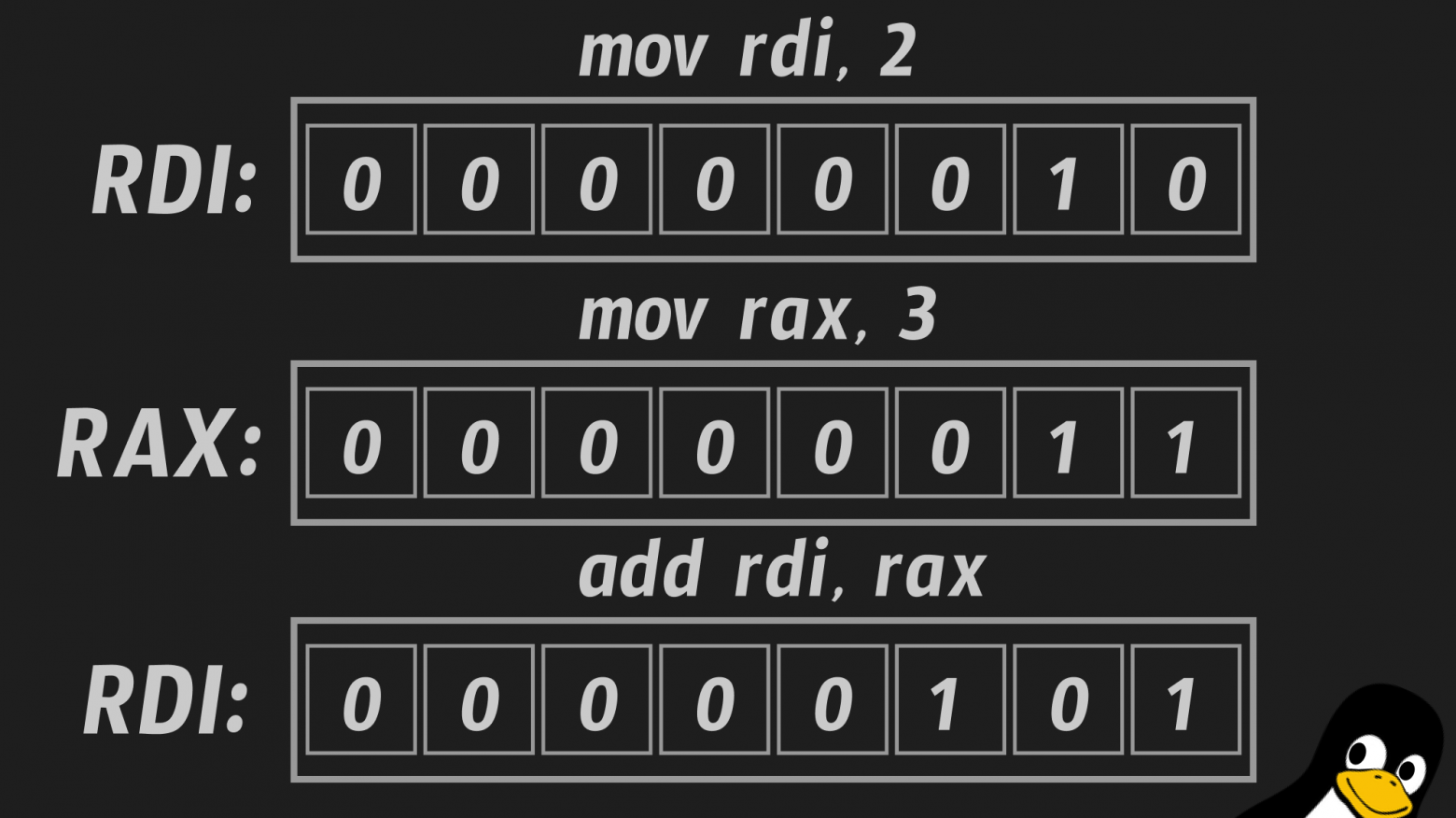
Registers are arrays of transistors inside the processor that store binary states — essentially tiny, ultra-fast memory cells built directly into the CPU. They're orders of magnitude faster than RAM because there's no bus latency — the data is right there in the processor itself.
On x86-64 systems, the key general-purpose registers are:
- RAX — accumulator, used for return values and arithmetic
- RBX — base register, general purpose
- RCX — counter, used in loops
- RDX — data register, used in I/O and multiplication/division
- RSI — source index, used for string operations and function arguments
- RDI — destination index, used for string operations and first function argument
- RSP — stack pointer, tracks the top of the stack
- RBP — base pointer, tracks the bottom of the current stack frame
- R8-R15 — additional general-purpose registers added in x86-64
Each 64-bit register can also be accessed as 32-bit (EAX), 16-bit (AX), or 8-bit (AL/AH) sub-registers for backward compatibility.
The Compilation Pipeline
When you write a C program and compile it, the process goes through several stages:
- Preprocessing — macro expansion, header inclusion
- Compilation — C code to assembly language
- Assembly — assembly language to object code (machine code)
- Linking — combining object files and libraries into an executable
Each stage transforms the code into a lower-level representation, eventually producing the binary that the CPU can execute directly.
System Calls: The OS Kernel's API
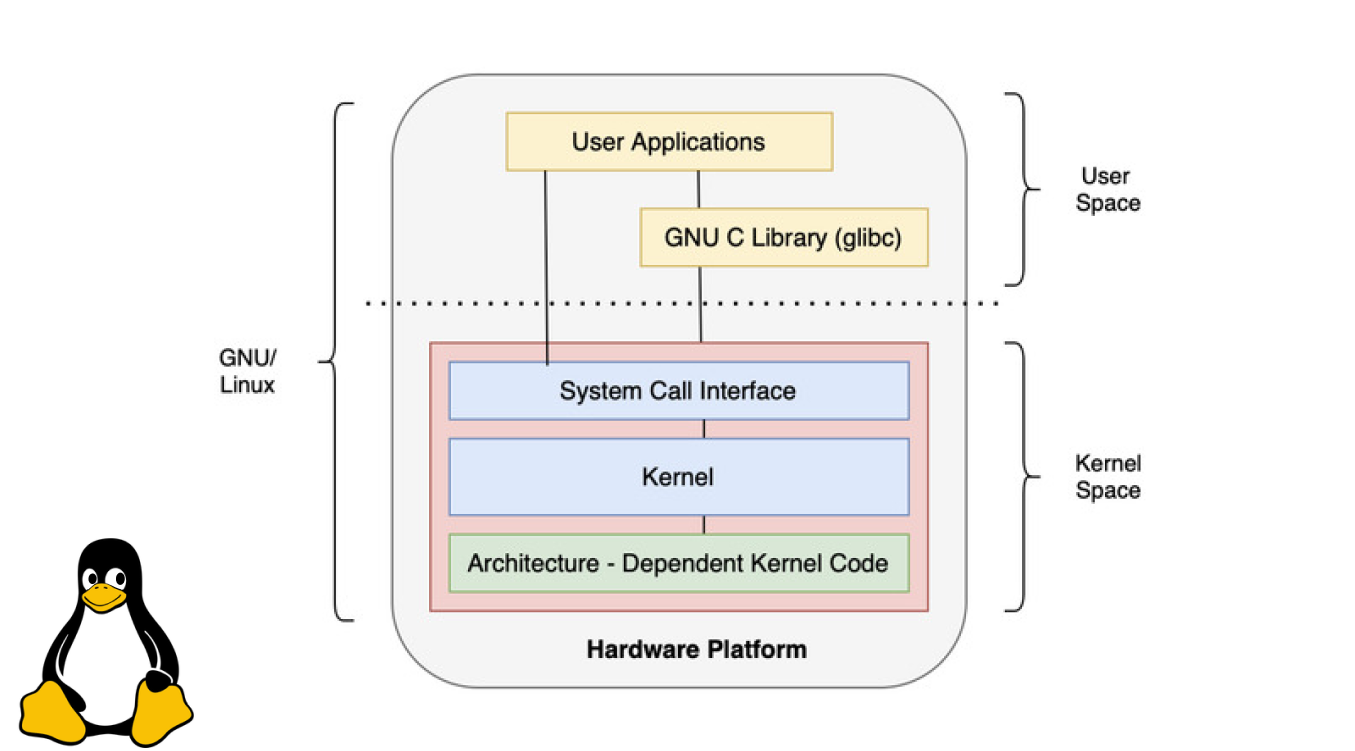
System calls are the API of the operating system kernel for user processes. When your program needs to perform an operation that requires kernel privileges — writing to the screen, reading a file, allocating memory — it makes a system call.
On Linux x86-64, the calling convention is:
- RAX — system call number
- RDI — first argument
- RSI — second argument
- RDX — third argument
- R10 — fourth argument
- R8 — fifth argument
- R9 — sixth argument
The syscall instruction triggers the transition from user mode to kernel mode, where the OS handles the request and returns control to the program.
Virtual Memory and Process Address Space
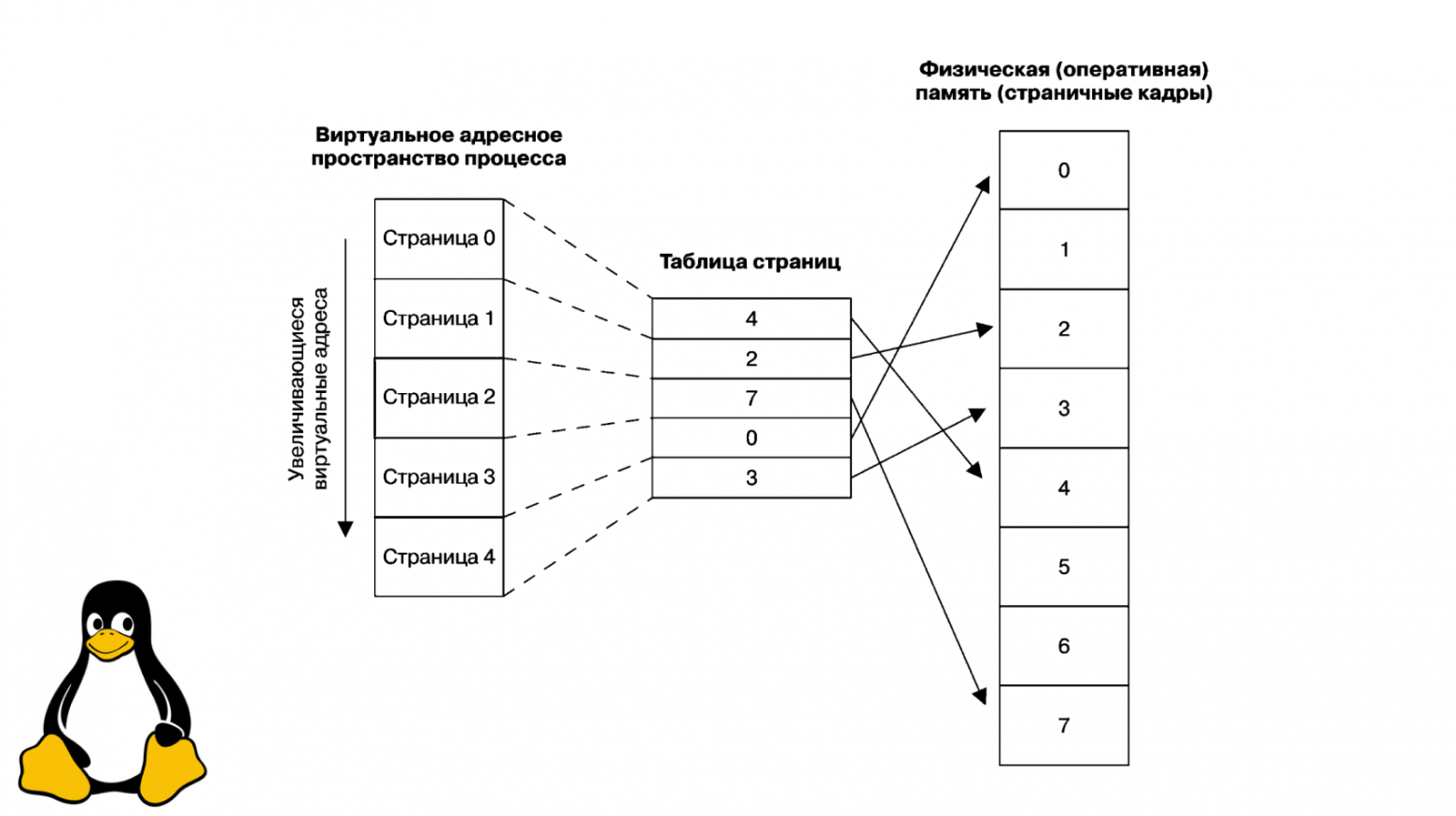
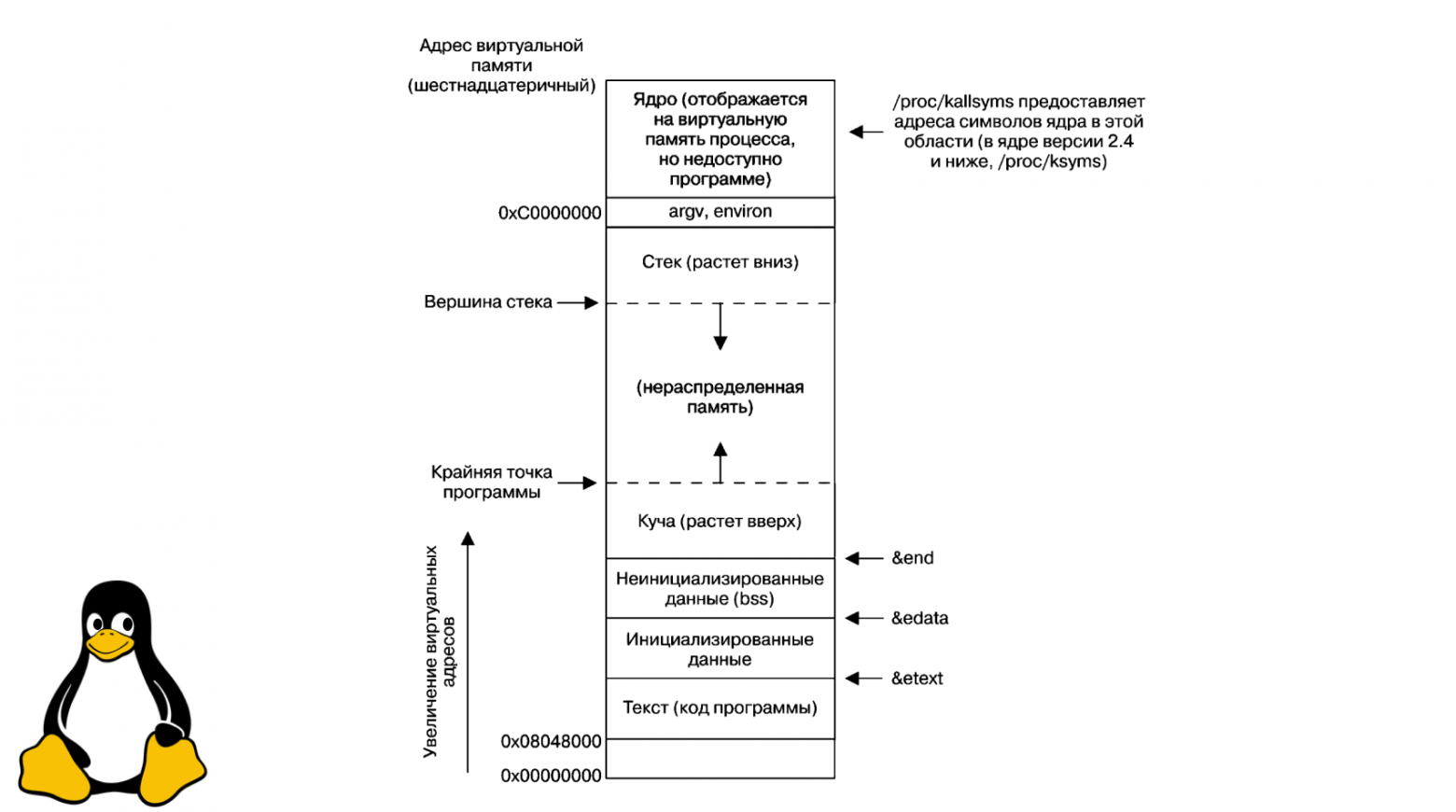
Each process has an isolated virtual address space — the OS creates the illusion that the process controls all available RAM. The address space is divided into segments:
- .text — the executable code (read-only)
- .data — initialized global and static variables
- .bss — uninitialized global and static variables (zeroed at startup)
- Heap — dynamically allocated memory (grows upward)
- Stack — local variables, function arguments, and return addresses (grows downward, LIFO)
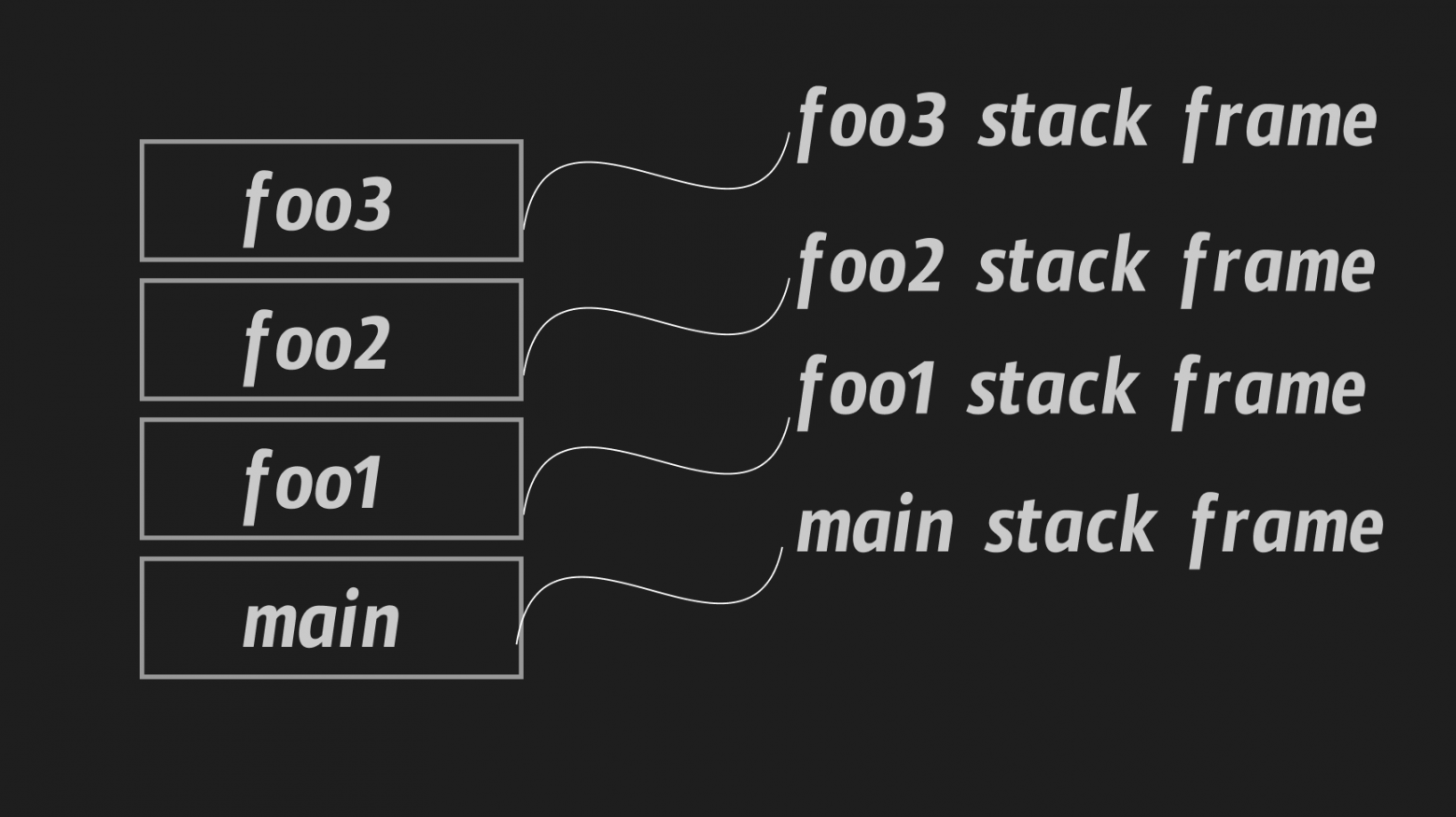
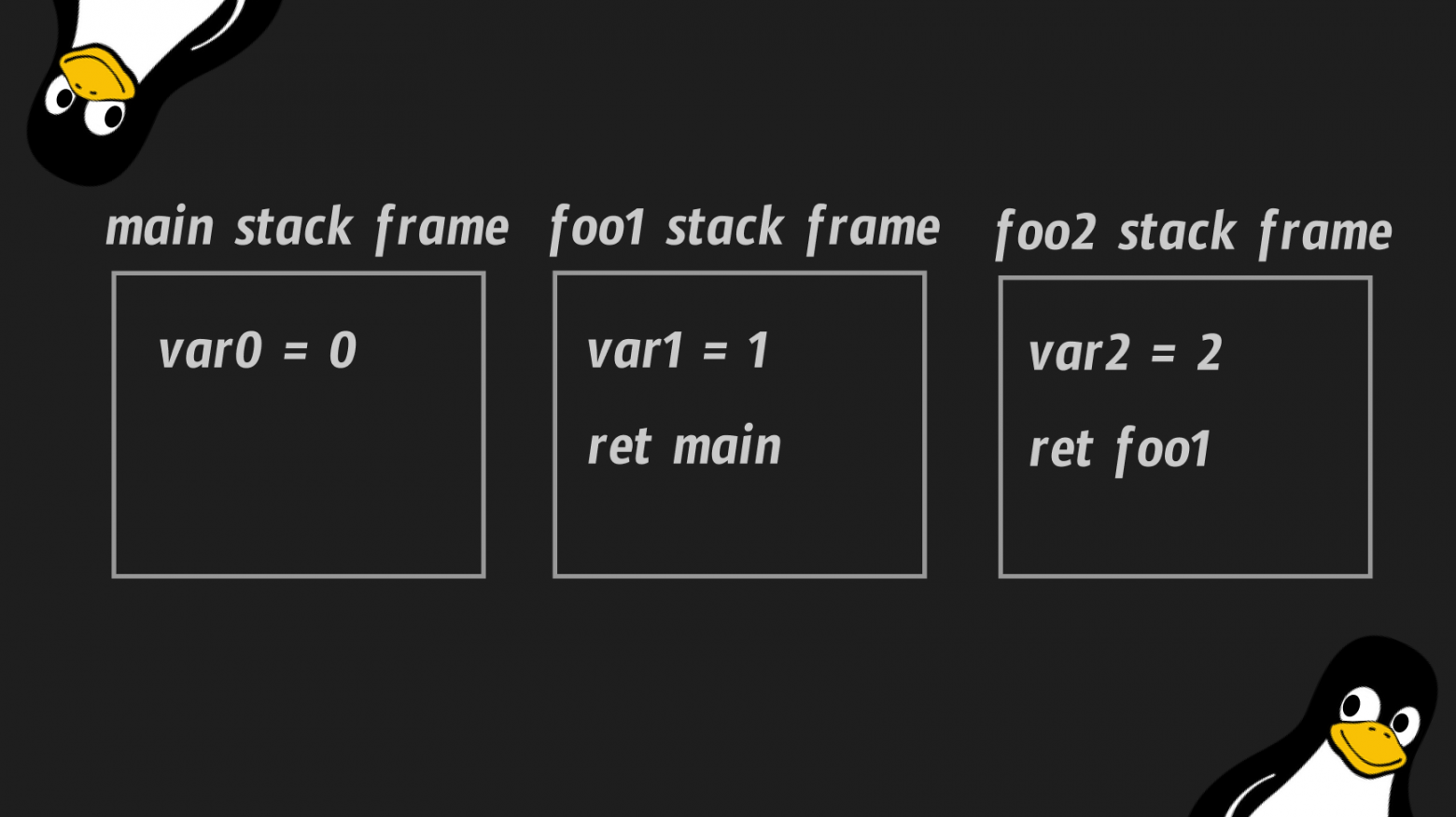
The stack deserves special attention. It's a Last-In-First-Out data structure where each function call creates a new "stack frame" containing the function's local variables and the return address. When the function returns, its frame is popped off the stack.
The ELF Format
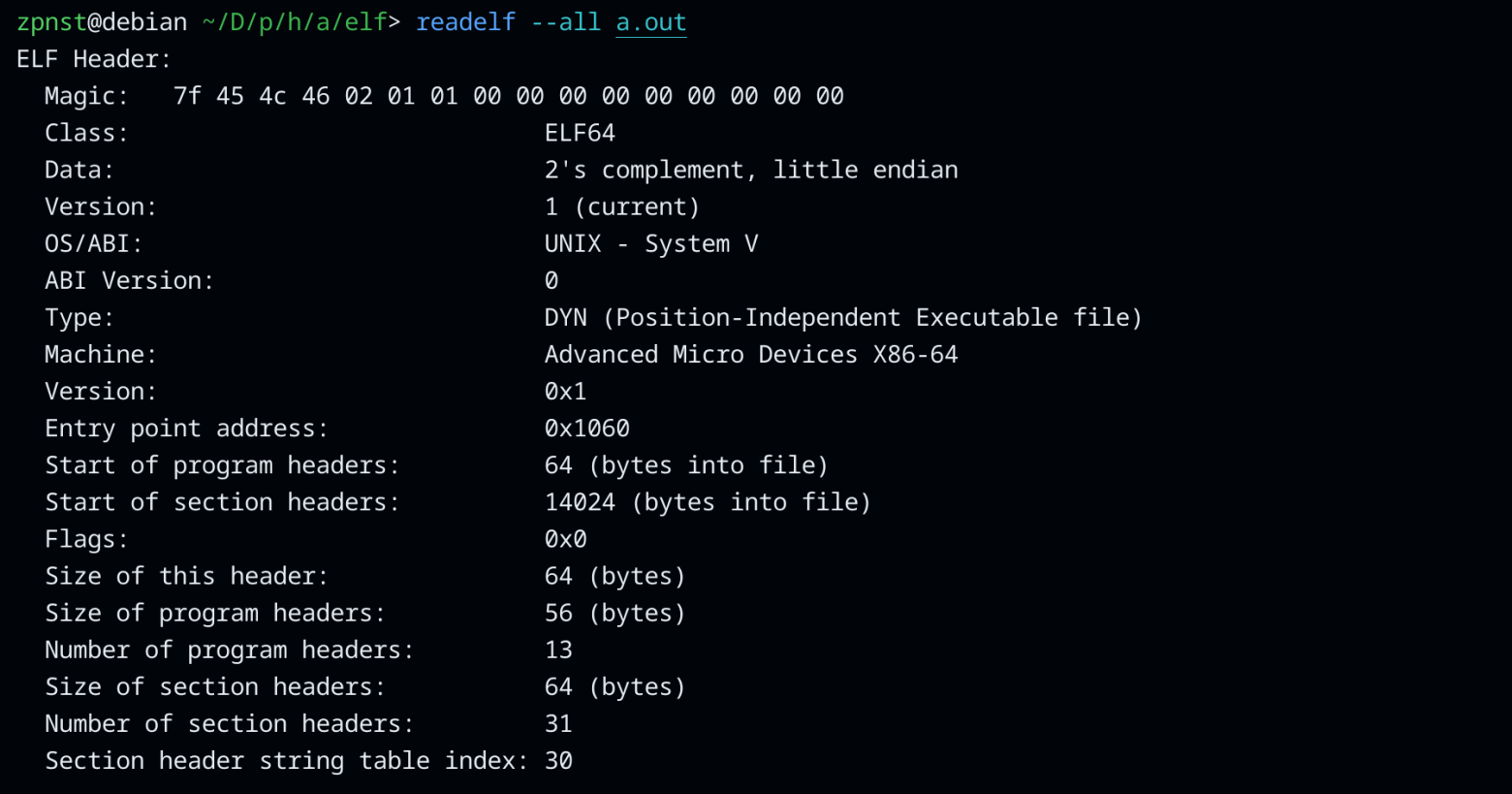
Linux executable files follow the ELF (Executable and Linkable Format) standard. An ELF file contains not just machine code, but a complete blueprint that the OS uses to create a process:
- ELF header — identifies the file format, architecture, and entry point
- Program headers — tell the OS how to load segments into memory
- Section headers — describe the file's sections (.text, .data, etc.)
- Symbol table — maps names to addresses for linking
There's an important distinction between two types of ELF files: relocatable object files (produced by the assembler, with unresolved references) and executable files (fully linked, ready to run).
Linking: Static vs. Dynamic
Linking resolves references between object files and libraries. There are two approaches:
Static linking embeds all library code directly into the executable. The result is a self-contained binary that doesn't depend on external libraries — but it's much larger.
Dynamic linking references external shared libraries (.so files) that are loaded at runtime. The binary is smaller, and multiple programs can share the same library in memory.
The practical difference is dramatic: a simple "Hello, World!" compiled with dynamic linking is about 16 KB. The same program statically linked with libc balloons to 745 KB.

Writing "Hello, World!" in Assembly
Now let's put it all together. Here's our "Hello, World!" in NASM (Netwide Assembler) syntax:
global _start

section .data
    string_hello: db "Hello, World!", 10

section .text
_start:
    mov rax, 1          ; sys_write system call number
    mov rdi, 1          ; file descriptor 1 = stdout
    mov rsi, string_hello ; pointer to the string
    mov rdx, 14         ; number of bytes to write
    syscall

    mov rax, 60         ; sys_exit system call number
    mov rdi, 0          ; exit code 0 (success)
    syscall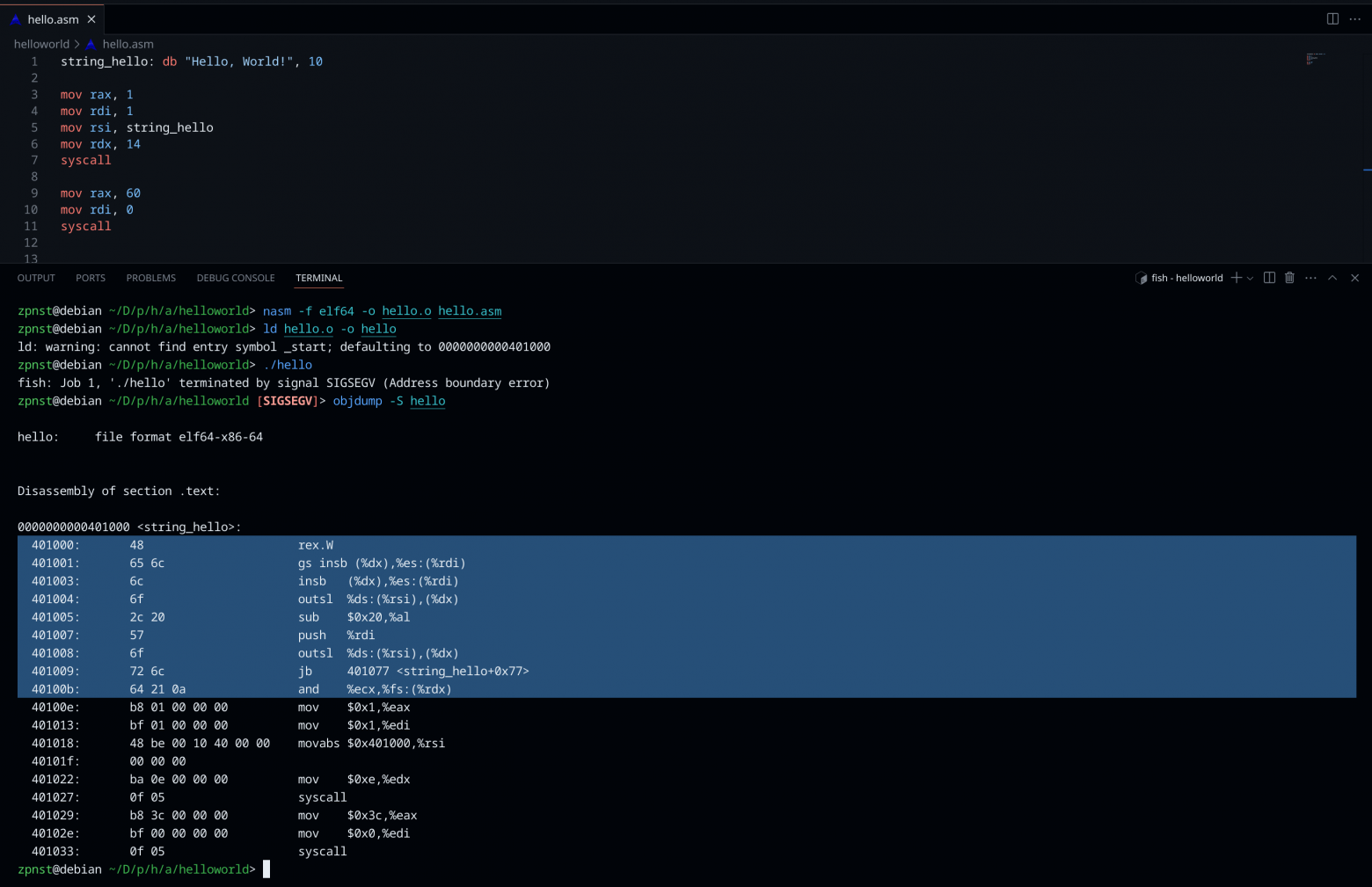
Let's break down every line:
global _start— declares the entry point symbol as globally visible, so the linker can find itsection .data— begins the data section for initialized variablesstring_hello: db "Hello, World!", 10— defines a byte sequence: the ASCII characters of our string followed by byte 10 (the newline character, '\n')section .text— begins the code section_start:— the entry point label where execution beginsmov rax, 1— loads thesys_writesystem call ID (1) into the RAX registermov rdi, 1— loads file descriptor 1 (stdout) into RDI as the first argumentmov rsi, string_hello— loads the memory address of our string into RSI as the second argumentmov rdx, 14— loads the byte count (14: 13 characters + 1 newline) into RDX as the third argumentsyscall— triggers the system call, transitioning to kernel modemov rax, 60— loads thesys_exitsystem call ID (60)mov rdi, 0— loads exit code 0 (indicating success)syscall— triggers the exit, and the process terminates
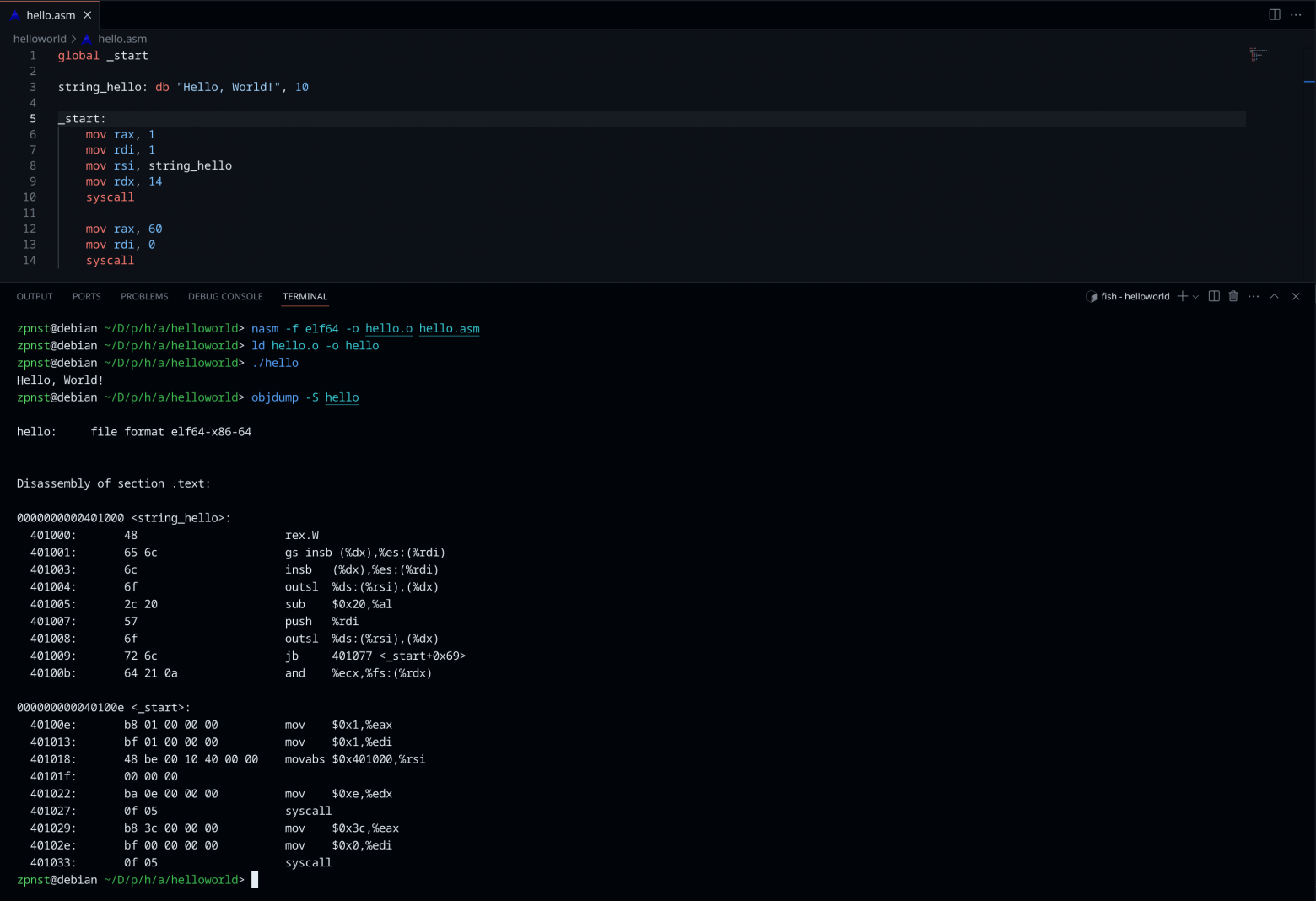
Building and Running
To assemble and link this program:
nasm -f elf64 hello.asm -o hello.o
ld hello.o -o hello
./hello
The first command assembles the source into a 64-bit ELF object file. The second command links it into an executable. The third runs it, and you see "Hello, World!" printed to your terminal.
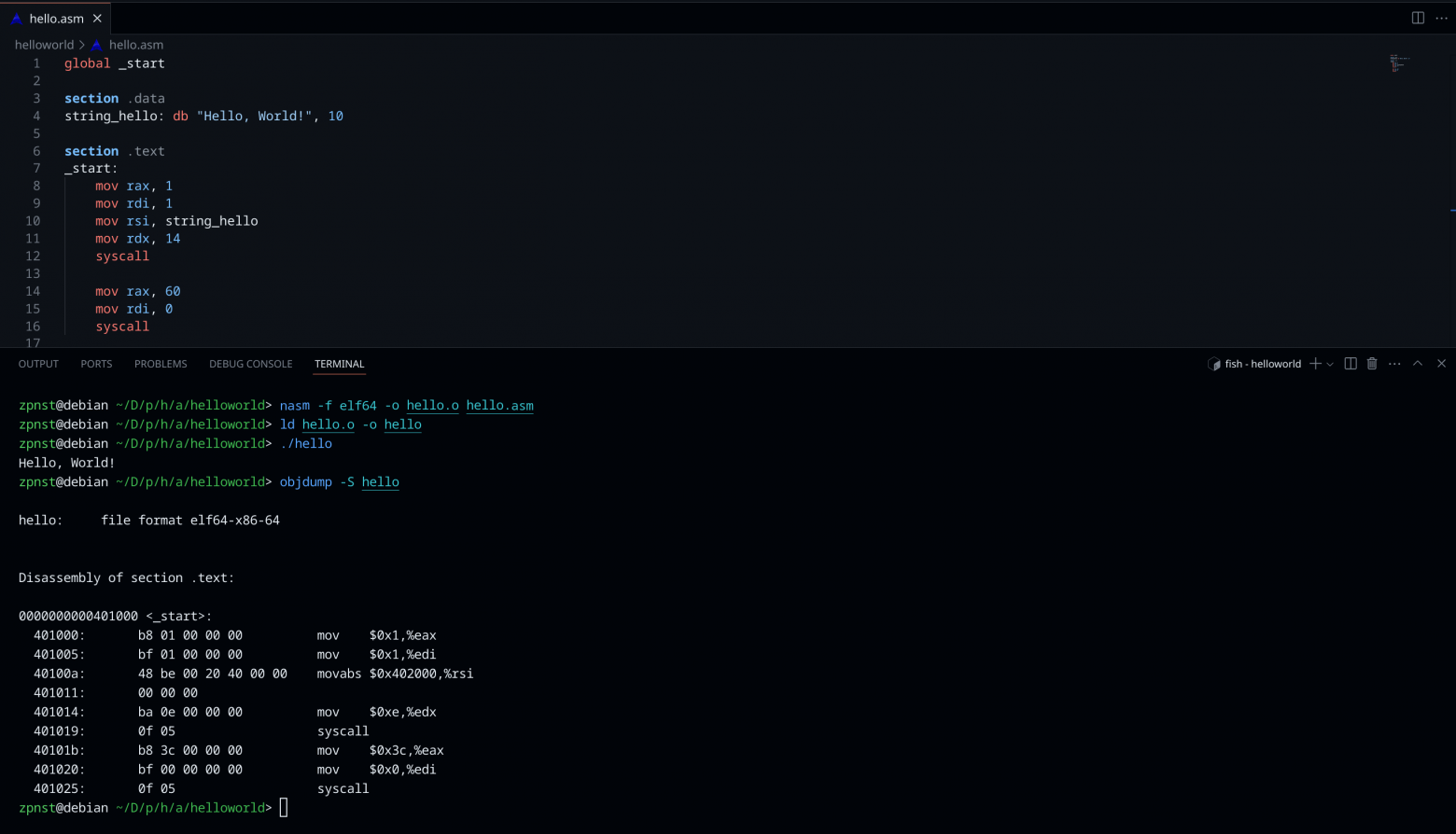
Examining the Bytes
If we examine the resulting binary with a hex dump, we can see every byte of our program — the ELF header identifying it as a 64-bit Linux executable, the program headers telling the OS how to load it into memory, our string data in the .data section, and the actual machine code instructions in the .text section.
Each mov instruction translates to a specific sequence of bytes — an opcode identifying the instruction type, followed by operand bytes specifying the register and the immediate value. The syscall instruction is always the two bytes 0F 05.
Conclusion
A simple "Hello, World!" in assembly is just two system calls and a string — but understanding what happens at each level reveals the elegant layered architecture of modern computing. From transistors storing bits in registers, through carefully defined calling conventions, to the ELF format that tells the OS how to create a process from a file on disk — every layer is built on precise formal standards.
Understanding these formalisms isn't just academic. It makes you a better programmer at every level of the stack, because you understand what your high-level code actually compiles down to, and why certain patterns are fast or slow, safe or dangerous.
FAQ
What is this article about in one sentence?
This article explains the core idea in practical terms and focuses on what you can apply in real work.
Who is this article for?
It is written for engineers, technical leaders, and curious readers who want a clear, implementation-focused explanation.
What should I read next?
Use the related articles below to continue with closely connected topics and concrete examples.





