A Digital Photographer's Pipeline on Linux
A photographer shares his complete workflow for managing, sorting, and processing photos entirely on Linux using free tools like XnView, EXIFtool, RawTherapee, and Krita — proving you can build a full digital photography lab without proprietary software.
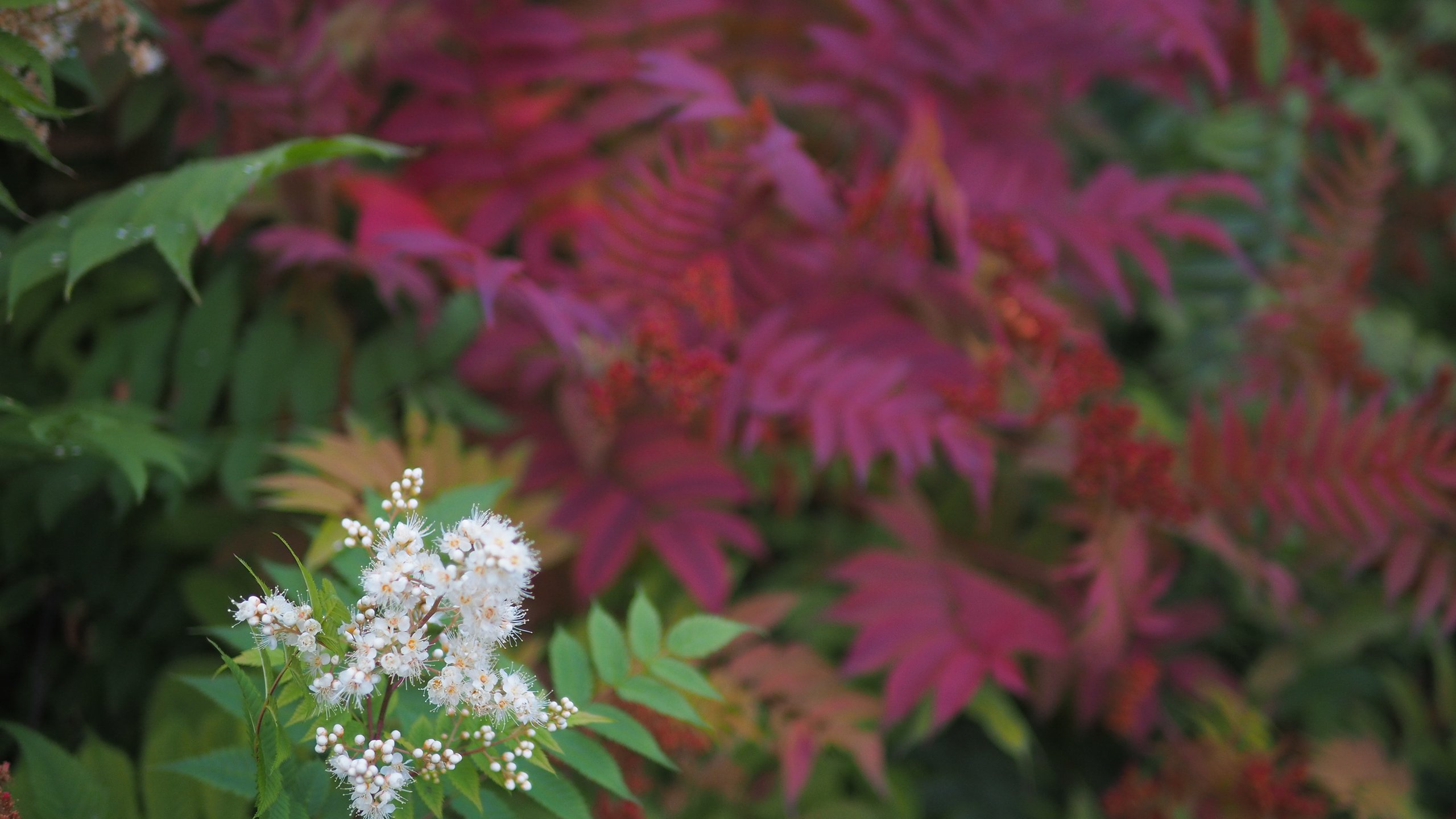
I want to share my experience building a pipeline for processing and cataloging photographs. I tried to make the narrative engaging, focusing on the essential principles rather than a step-by-step guide.
All the software I will discuss is free, requires no cracks, and breaks no laws. With patience and desire, you can build a fully functional digital lab at home.
Field Backup
During large shoots away from my work computer, I make backup copies of the material and leave the photos on the memory cards. In my camera backpack, there are two pockets: one with clean flash drives, the other with filled ones. During breaks, I dump new photos into a shared directory without any preliminary sorting.
This year I got lazy and did not make a backup, and I lost some photos due to a software or hardware failure on the flash card. However, the previous year the opposite happened — the hard drive broke, but the data on the flash drives survived.
Selecting the Shot Material
For viewing on Linux, I use XnView — an analog of ACDSee. The program displays graphics, plays video, and presents folder contents as thumbnails.
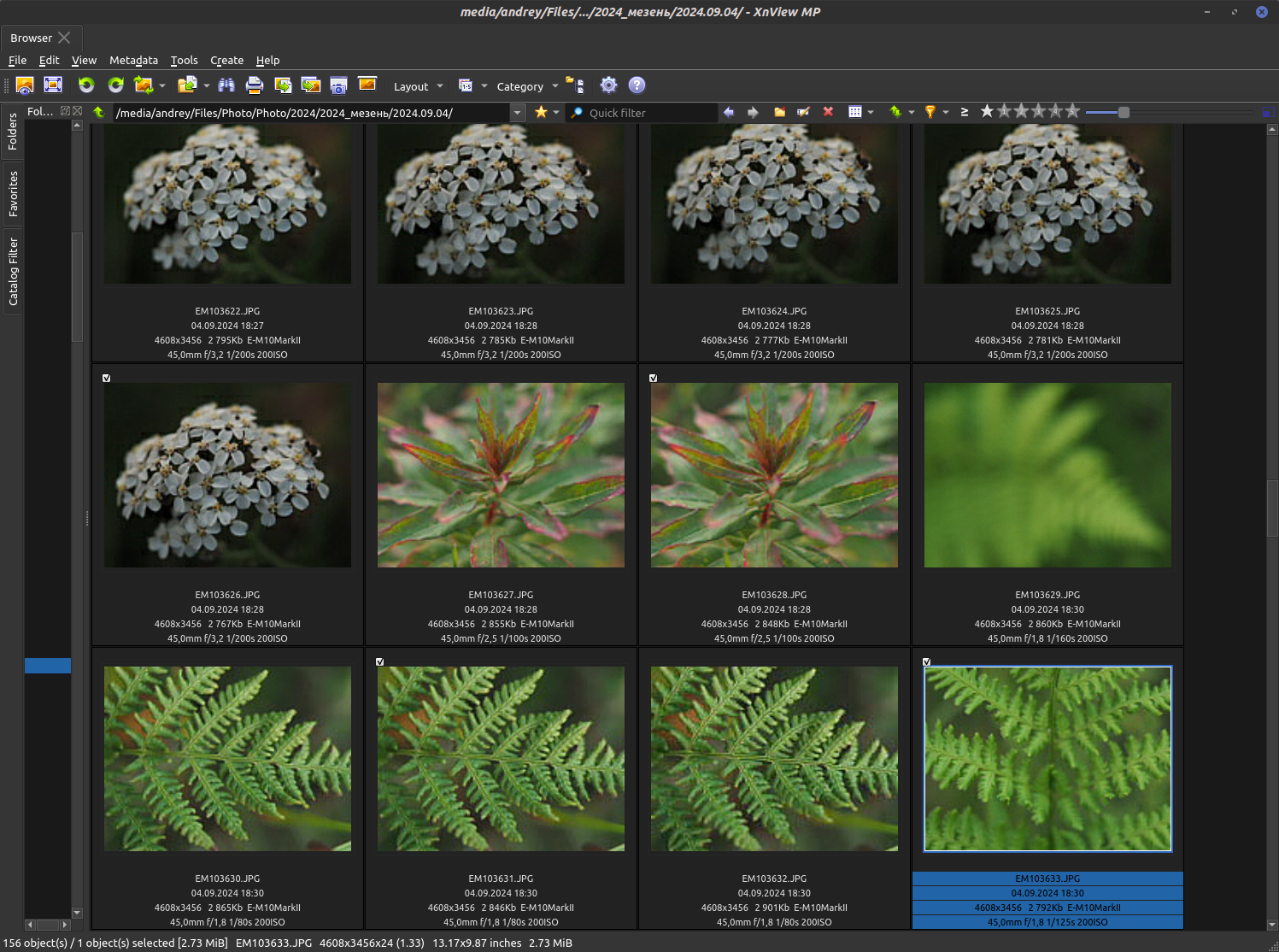
Marking function: You need to activate the "Enable catalog" option in settings on the "Catalog" tab. I assigned the mark to the "\" key and to an extra mouse button for convenience.
Selection algorithm: When selecting photos, I follow an algorithm. I insert a flash drive into the card reader, open the photos from the beginning, and start going through them, marking successful shots. The key is not to hesitate or doubt. Act decisively!
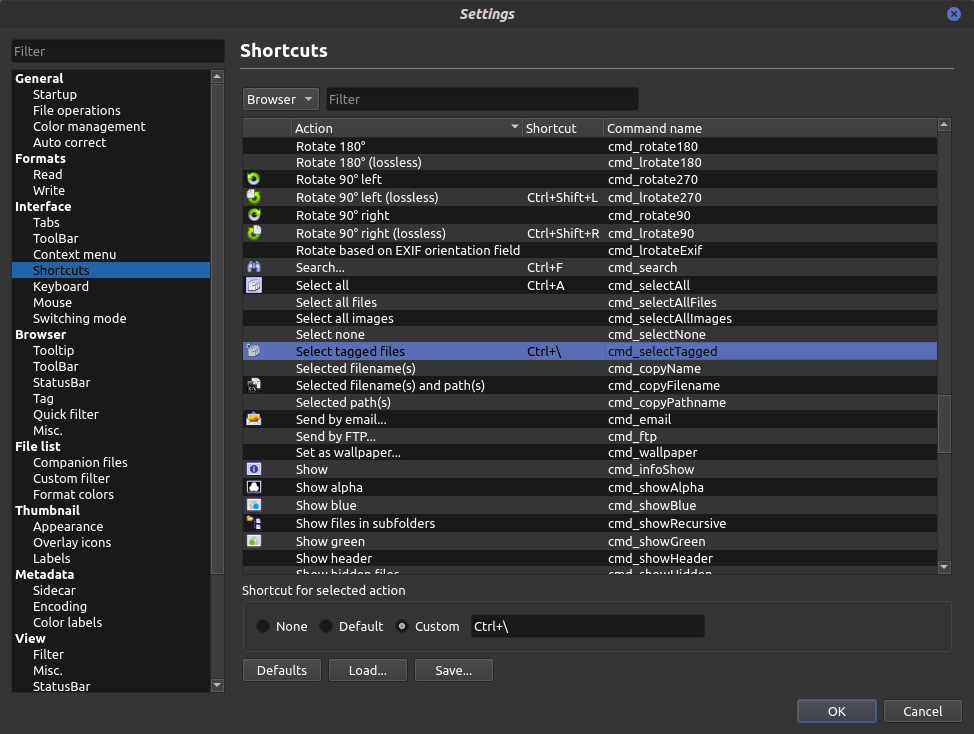
After marking successful shots, they are highlighted with a special shortcut (in my case, Ctrl+\). The selected files are sent to an "Unsorted" folder for subsequent sorting by date.
The remaining files can be deleted, but it is better to let them sit for a few days to get a fresh perspective.
Sorting by Date
This is where my favorite part begins — creating homemade utilities for specific automation tasks.
Tool: EXIFtool — a program for working with image metadata.
Installation on Debian-based systems:
sudo apt install exiftoolBash sorting script:
#!/bin/bash

echo "Starting photo sorting"

cd "DST_DIR" && exiftool "-Directory<DateTimeOriginal" -r -d "%Y.%m.%d" "SRC_DIR"

echo "Done!"

echo "Exit status "$?" (zero is OK)"

$SHELL # So the terminal does not close after execution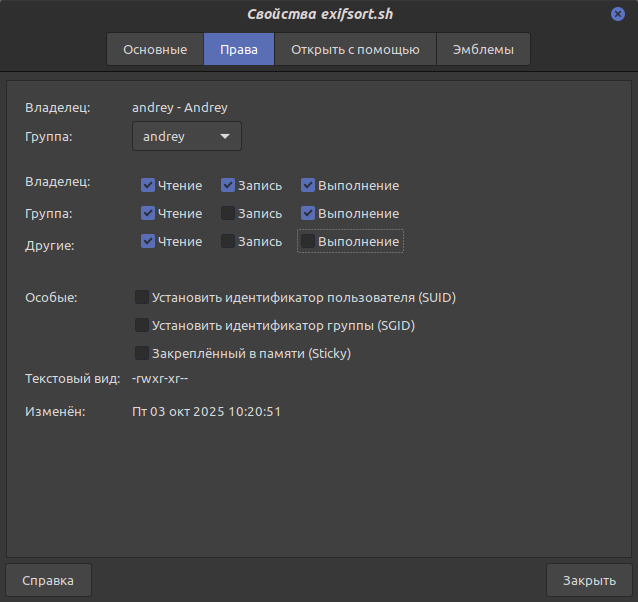
Parameters:
- DST_DIR — full path to the directory where photos will be moved
- SRC_DIR — path from which photos are taken
Be sure to enclose paths in quotes. Then save the code to a text file, rename it as you wish but with the .sh extension, and assign execution permissions through the file's context menu.
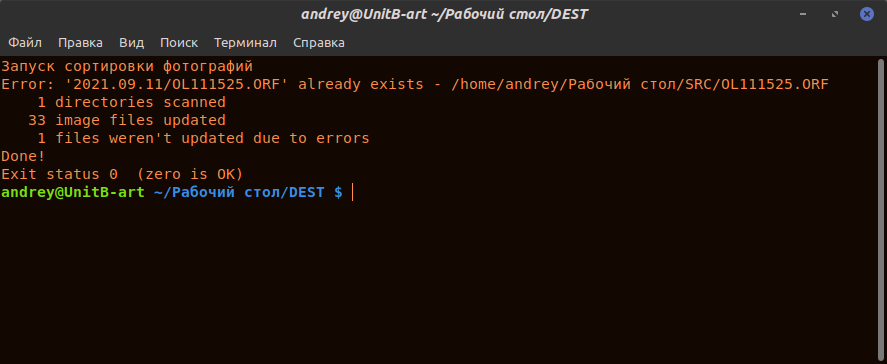
How the script works: EXIFtool works correctly. If files do not contain date data, they will remain untouched. If a file with the same name already exists in the destination folder, it will not be overwritten.
Photo Archive Structure
I think I managed to create the most primitive yet very convenient archive organization.
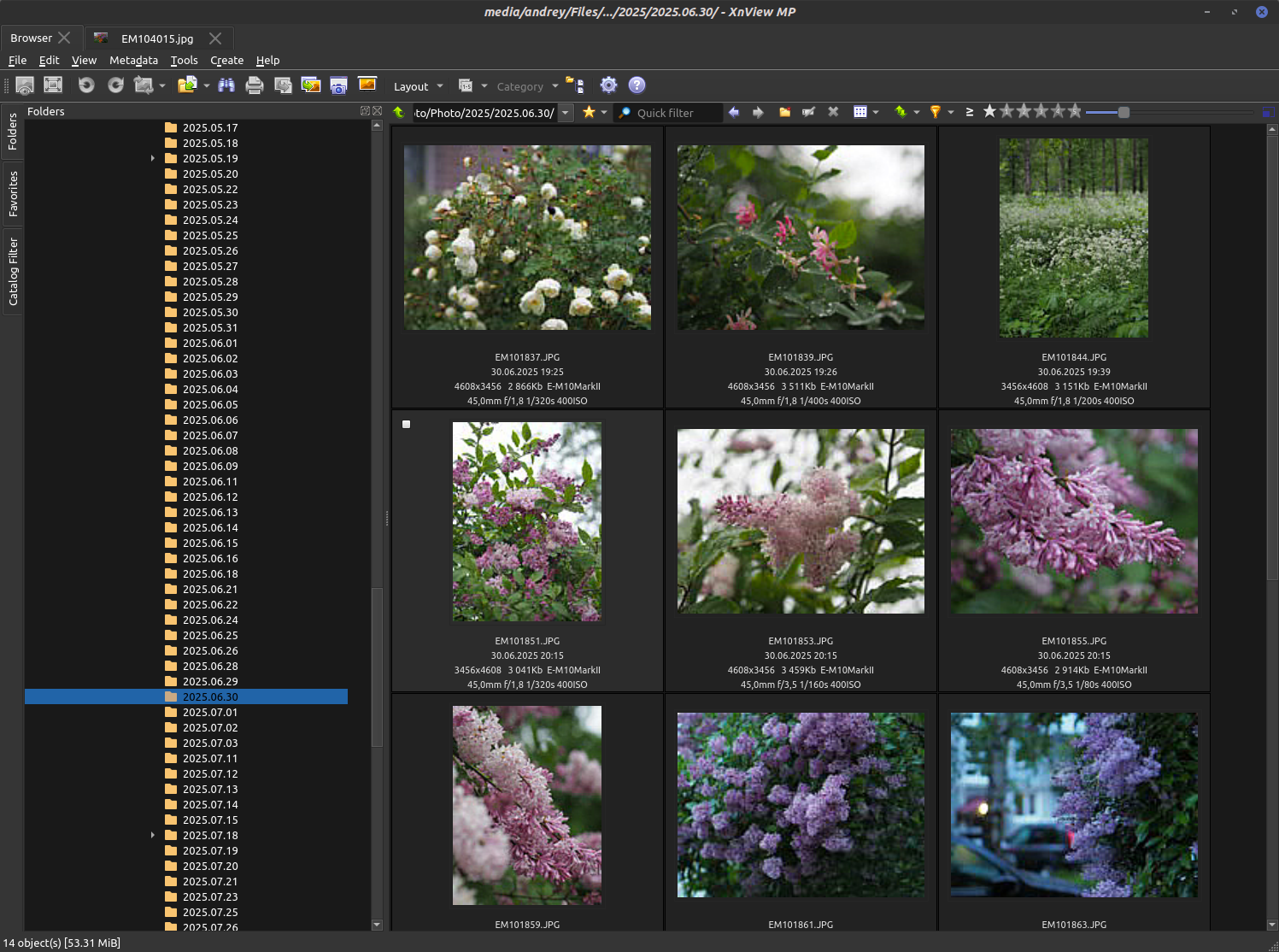
Hierarchy:
- At the root: subdirectories with year numbers
- Inside: subdirectories in the format "2025.11.05" (shooting date), created by the script
To find something important, I leave a text document inside the directory with keywords in the filename. For example: Misha_wedding.txt. And this is so stupidly simple and reliable that it covers all my needs.
Tags are searched simply through file search — with no dependency on specific software.
Sometimes I deviate from the rules and name the directory itself when it contains photos united by a theme but taken at different times. Am I ashamed of this? The answer is no.
RAW Processing
Sorting by date is done before converting RAW to JPEG.
Tool: RawTherapee
Processing workflow:
- Processing is non-destructive
- For each photo, settings files (processing profiles) are created — text files with conversion parameters
- After conversion, a "Converted" folder is created with JPEG files
- Original RAW files are deleted to save space (I rarely keep the most interesting ones)
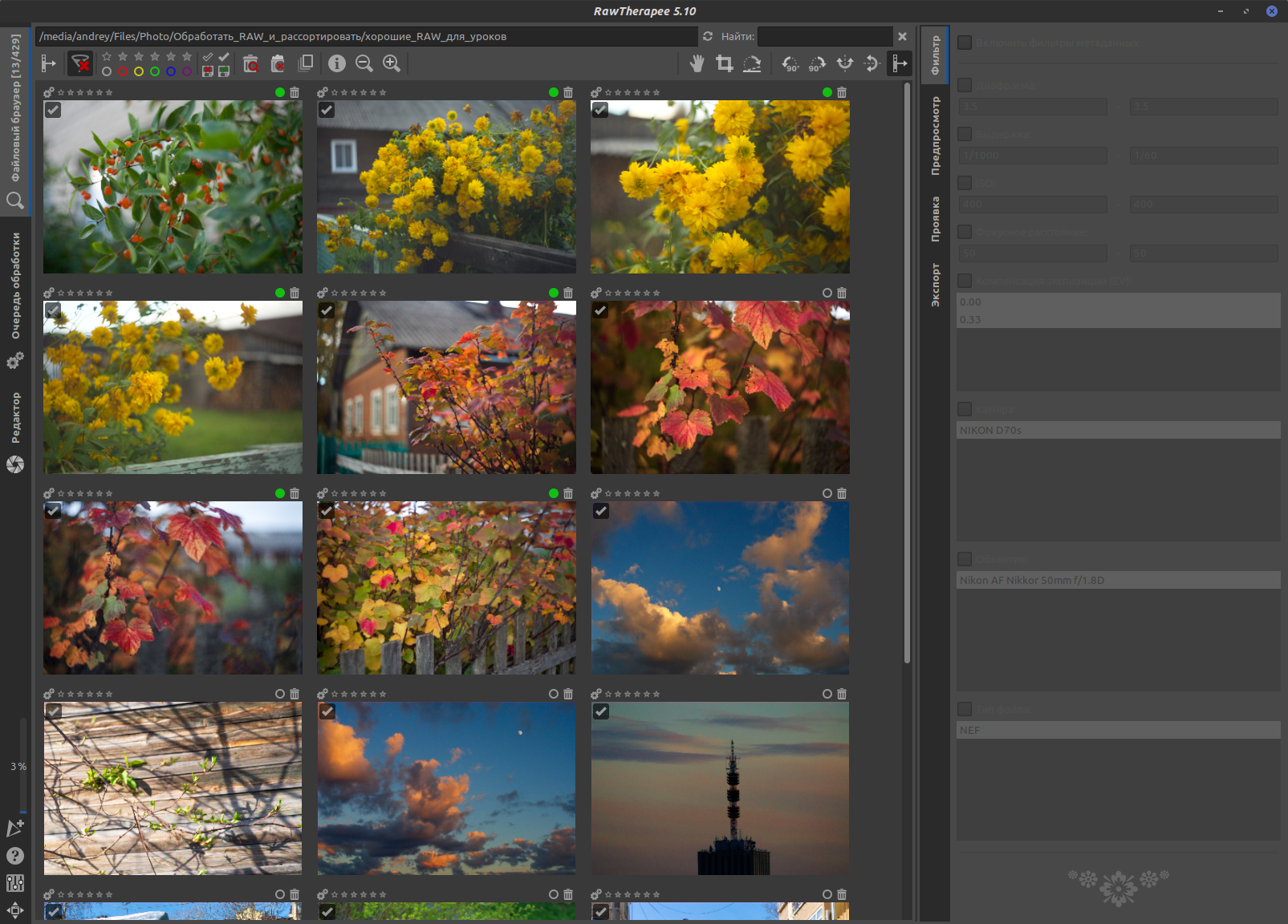
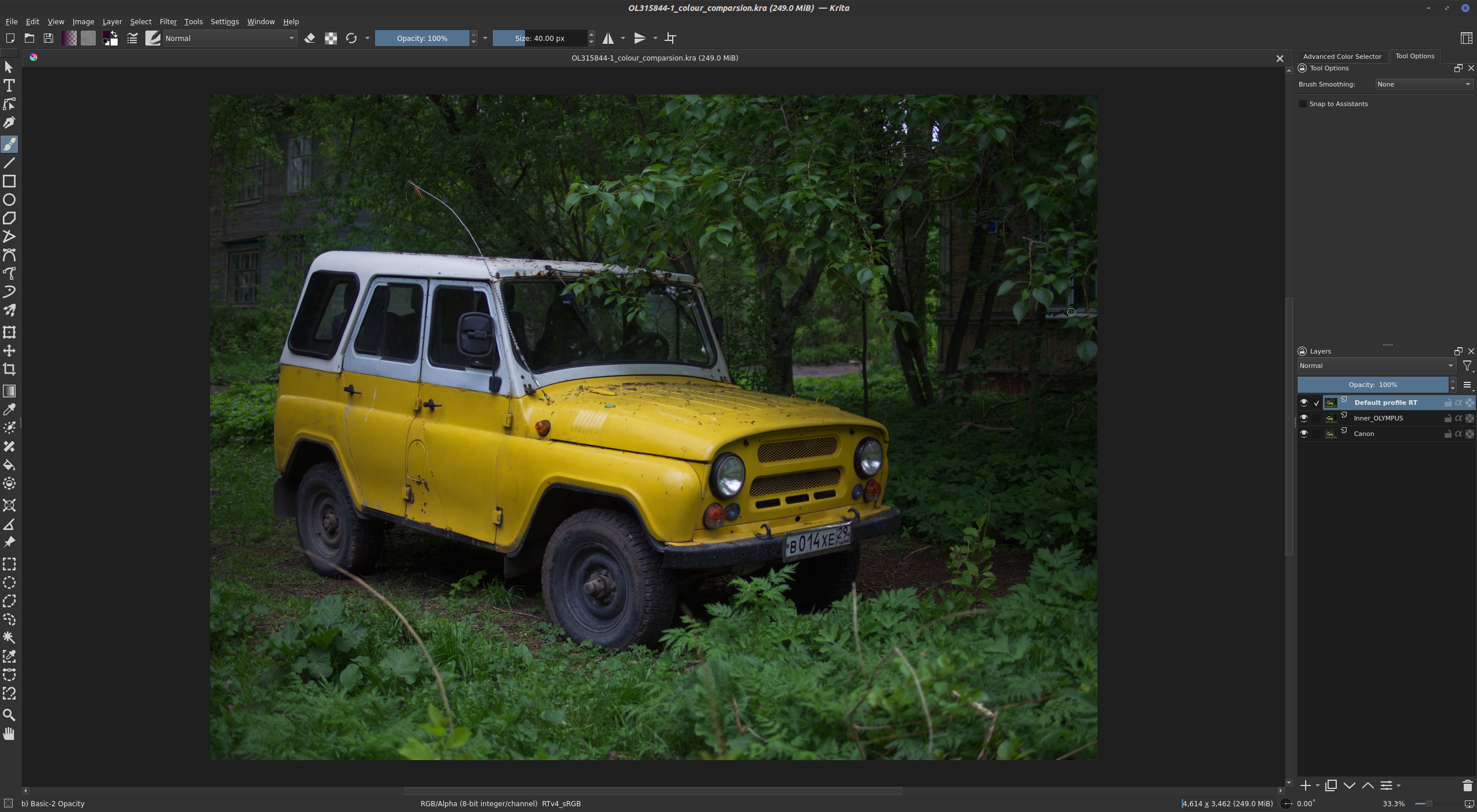
Photo Compositing
My photography philosophy strives to minimize digital manipulations with the image. I try to realize the concept as much as possible in reality, and use only tone correction as "processing."
This partly comes from classical photography, which is where I started, and partly from energy conservation.
Photoshop alternative: Krita
Although it positions itself as software for artists, in terms of capabilities it is not far behind Photoshop.
Krita's capabilities:
- Layers
- Masks
- Dynamic filter layers
- Blending modes
- Various processing filters
- Stable Diffusion integration (running locally)
Everything is free — just take it and use it. It works fast and stable.
Afterword
In case you are starting your journey in photography or want to free yourself from corporate control, I would be very glad if someone is inspired by my example.
I moved to Linux more than ten years ago and have not regretted it once. On the contrary, I feel that I am more focused on the work than on the tools.
FAQ
What is this article about in one sentence?
This article explains the core idea in practical terms and focuses on what you can apply in real work.
Who is this article for?
It is written for engineers, technical leaders, and curious readers who want a clear, implementation-focused explanation.
What should I read next?
Use the related articles below to continue with closely connected topics and concrete examples.





