How DNS works in Linux. Part 4: DNS in containers
DNS in container environments represents a fundamentally different paradigm compared to traditional virtual machines or physical servers. Containerization technology creates specific name resolution challenges based on three key aspects: isolation, the dynamic nature of the envir
Editor's Context
This article is an English adaptation with additional editorial framing for an international audience.
- Terminology and structure were localized for clarity.
- Examples were rewritten for practical readability.
- Technical claims were preserved with source attribution.
Source: original publication
Series Navigation
- How DNS Works in Linux. Part 2: All Levels of DNS Caching
- How DNS works in Linux. Part 3: Understanding resolv.conf, systemd-resolved, NetworkManager and others
- How DNS works in Linux. Part 4: DNS in containers (Current)
DNS in container environments represents a fundamentally different paradigm compared to traditional virtual machines or physical servers. Containerization technology creates specific name resolution challenges based on three key aspects: isolation, the dynamic nature of the environment, and scalability requirements.
Isolation means that each container exists in its own network namespace with an individual DNS configuration, which requires special mechanisms to ensure connectivity. Dynamic means that services are constantly being created and destroyed, IP addresses change, and traditional static DNS records become ineffective. Scaling is the need to process thousands of DNS queries per second without single points of failure, which requires distributed and fault-tolerant architectures.
Unlike traditional environments where DNS configuration is inherited from the host, container platforms create their own DNS ecosystems with automatic service discovery, dynamic record updates, and complex name resolution policies. This complexity is compounded by the need to support both “intra-cluster” and external name resolution, high workload performance, and integration with existing enterprise DNS infrastructures.
Each container platform - Docker, Podman, Kubernetes - implements its own DNS architecture with specific features, advantages and pitfalls. Understanding these differences is critical to building reliable, performant container infrastructures. This is what we will try to figure out in this article.
This is the fourth article in a series of analysis of name resolution mechanisms and DNS operation. The previous three can be found at these links:
- How DNS works in Linux. Part 1: from getaddrinfo to resolv.conf
- How DNS works in Linux. Part 2: All Levels of DNS Caching
- How DNS works in Linux. Part 3: Understanding resolv.conf, systemd-resolved, NetworkManager and others
Now let's move on to containers, where we will look at the Docker, Podman and Kubernetes platforms one by one.
Docker: DNS evolution from simplicity to complexity
Docker uses a built-in DNS proxy for each user network, which provides automatic container name resolution. This proxy runs at 127.0.0.11 and performs two main functions: resolving container names within the same network and forwarding external requests to DNS servers configured in the host's daemon.json or resolv.conf.
DNS architecture in rootful mode
In classic rootful mode, Docker creates a standard DNS configuration for containers:
# Типичный /etc/resolv.conf в контейнере
nameserver 127.0.0.11
options ndots:0
The Docker DNS proxy accepts requests from containers and processes them as follows:
internal names: resolves names of containers and services within custom Docker networks
external names: forwards requests to DNS servers specified in the daemon configuration or host resolv.conf
scope: works on all types of Docker networks, including the default bridge network, but with different functionality:
Provides built-in container name resolution on user networks
In the default bridge network, automatic container name resolution does NOT work; only legacy mechanism available
--linkwhich adds entries to/etc/hosts
Global Docker settings can be set in /etc/docker/daemon.json:
{
  "dns": ["<dns1>", "<dns2>"],
  "dns-opts": ["use-vc", "rotate"],
  "dns-search": ["example.com"]
}
Features of rootless mode
Rootless Docker fundamentally changes network architecture. Instead of directly accessing the host's network stack, a user namespace with an isolated network environment is used. Key differences include:
Network stack: uses slirp4netns or RootlessKit to emulate a network stack in user space.
DNS configuration: containers receive a DNS server of 10.0.2.3 instead of the traditional 127.0.0.11.
```bash
# В rootless контейнере
nameserver 10.0.2.3
```
Performance Issues: Rootless mode exhibits significantly worse network performance due to packet translation overhead.
Forwarding source IP: by default, source IP addresses are not transmitted correctly, which is critical for network services like DNS or proxies. The solution requires special configuration:
```bash
# В ~/.config/systemd/user/docker.service.d/override.conf
[Service]
Environment="DOCKERD_ROOTLESS_ROOTLESSKIT_PORT_DRIVER=slirp4netns"
```
Docker DNS Known Issues
Conflict with systemd-resolved: automatic substitution of 127.0.0.53 may break DNS in containers.
Solution: Settings /etc/docker/daemon.json with explicit DNS servers:
{
  "dns": ["<dns1>", "<dns2>"],
  "dns-opts": [],
  "dns-search": []
}
VPN problems: DNS queries may not pass through the VPN tunnel, resulting in DNS leaks.
Solution: Force DNS routing over VPN:
# Использование VPN DNS-серверов
docker run --dns 10.8.0.1 --dns-search vpn.local myimage
# Или также глобально в daemon.json для всех контейнеров
{
  "dns": ["10.8.0.1"]  # IP DNS-сервера в VPN сети
}
Outdated copies of resolv.conf: changes to the host file do not affect running containers until they are restarted.
https://github.com/moby/moby/issues/23910
# Option 1: Restarting containers after changing host DNS
docker restart $(docker ps -q)
# Option 2: Mounting resolv.conf as volume (real time updates)
docker run -v /etc/resolv.conf:/etc/resolv.conf:ro myimage
# Option 3: Using the --dns flag with explicit servers, or also specifying it in daemon.json
Podman: from CNI to modern Netavark
Podman represents the most dynamic evolution of DNS architectures in the container world, making the transition from legacy CNI to the modern Netavark/aardvark-dns solution. This transformation reflects the overall industry trend towards more powerful and feature-rich DNS solutions.
CNI architecture (Legacy mode)
Prior to version 4.0, Podman used CNI (Container Network Interface) with the dnsname plugin to resolve container names. This architecture included:
dnsmasq as a DNS server: a separate dnsmasq instance was created for each CNI network
file record storage: DNS records were stored in files in a directory
/run/containers/cni/dnsnameor$XDG_RUNTIME_DIR/containers/cni/dnsnamelimited functionality: only basic resolution of A-records was supported without PTR and other record types
The CNI network configuration with dnsname looked like this:
{
    "cniVersion": "0.4.0",
    "name": "cni-bridge-network",
    "plugins": [
      {
        "type": "bridge",
        "bridge": "cni0"
      },
      {
        "type": "dnsname",
        "domainName": "foobar.com",
        "capabilities": {
            "aliases": true
        }
      }
    ]
}
The work of Podman with the CNI backend is described in as much detail as possible in this article on Habré.
The main disadvantages of the CNI approach were the low performance of dnsmasq under high loads, lack of support for modern DNS functions, complexity of configuration and maintenance, and limited integration with modern container orchestrators.
Transition to Netavark and aardvark-dns
Starting with Podman 4.0, the new Netavark networking stack with aardvark-dns DNS server is used by default. This revolutionary change brought many improvements:
Aardvark-dns as an authority server: A Rust authoritative DNS server for container A/AAAA records
PTR record support: Automatic creation of reverse DNS records for easier diagnostics
improved performance: significantly faster performance compared to dnsmasq
better IPv6 support: especially in the areas of NAT and port forwarding
Typical Netavark network configuration:
{
    "name": "mynetwork",
    "id": "3977b0c90383b8460b75547576dba6ebcf67e815f0ed0c4b614af5cb329ebb83",
    "driver": "bridge",
    "network_interface": "podman1",
    "created": "2022-09-06T12:08:12.853219229Z",
    "subnets": [{
        "subnet": "10.89.0.0/24",
        "gateway": "10.89.0.1"
    }],
    "ipv6_enabled": false,
    "internal": false,
    "dns_enabled": true,
    "ipam_options": {
        "driver": "host-local"
    }
}
Unlike CNI, Netavark provides native integration with the container runtime, automatic management of DNS records when creating and deleting containers, and modern monitoring and debugging capabilities.
# Проверить используемый сетевой бэкенд
podman info --format '{{.Host.NetworkBackend}}'
DNS in rootless Podman
Podman's rootless mode creates special requirements for the DNS architecture, since there are no privileges for creating full-fledged bridge networks.
slirp4netns: traditional rootless networking
In classic rootless mode with slirp4netns, Podman creates an isolated network environment:
# DNS в rootless контейнере (slirp4netns)
nameserver 10.0.2.3
options edns0 trust-ad
search
DNS architecture in slirp4netns:
• DNS server 10.0.2.3 - built-in DNS proxy slirp4netns
• Automatic translation of DNS queries via user-mode NAT
• Isolated namespace with its own routing table
• Predictable but limited network configuration
Key limitations of slirp4netns:
• Inability to use Netavark to its full extent due to lack of privileges
• Additional overhead for transmitting packets to user-space
• Problems with local hostname resolution
• Limited support for IPv6 DNS queries
• Performance is significantly worse than native networking
The pasta/passt revolution: the new rootless DNS standard
As of Podman 5.3, pasta/passt becomes the standard network backend for new installations on many distributions, displacing slirp4netns, a fundamental change in the approach to DNS.
# DNS в rootless контейнере (pasta/passt)
nameserver 192.168.1.1    # Реальный DNS хоста
nameserver <dns1>        # Upstream DNS с хоста
search home.local         # Search domains с хоста
options edns0 trust-ad
Pasta (Pack A Subtle Tap Abstraction) runs on passt (Plug A Simple Socket Transport), a modern network driver that provides “quasi-native” network connectivity for user-mode virtual machines and containers without requiring privileges.
The key difference from slirp4netns is that pasta does not use Network Address Translation (NAT) by default and copies IP addresses from the main host interface to the namespace of the container.
Translation layer architecture: pasta implements a translation layer between the virtual Layer-2 network interface and native Layer-4 sockets (TCP, UDP, ICMP) on the host. This creates the illusion that the application processes in the container are running on the local host from a network perspective.
Built-in network services: pasta includes native implementations of ARP, DHCP, NDP, and DHCPv6, providing the container with a network configuration that is as close as possible to the native configuration of the host.
Architectural improvements:
Uses the host IP address instead of the predefined container IP (10.0.2.x)
Uses the network interface name from the host instead of the default one
tap0Uses the gateway address from the host instead of its own gateway
NAT
Key benefits of pasta for DNS:
Direct inheritance of DNS configuration: pasta copies /etc/resolv.conf host to the container, providing identical DNS configuration. This is completely different from slirp4netns, which uses its own DNS proxy.
Built-in DNS services: pasta includes native implementations:
DHCP server for automatic DNS configuration
DNS forwarder for efficient forwarding of requests
ARP resolver for local name resolution
NDP (IPv6) for modern dual-stack environments
Quasi-native DNS resolution: pasta simulates performing DNS queries directly on the host, eliminating intermediate proxy layers.
Managing DNS in Netavark
Netavark provides modern DNS management capabilities that interact with rootless network backends in different ways.
In rootful mode (full Netavark functionality)
# Создание сети с кастомными DNS-настройками
podman network create --driver bridge \
  --dns <dns2> \
  --dns <dns1> \
  --dns-search company.local \
  custom-dns-net

# Динамическое обновление DNS для существующей сети
podman network update custom-dns-net --dns-add 9.9.9.9
podman network update custom-dns-net --dns-search-add internal.local

# Доступ к aardvark-dns с хоста
nslookup webapp.dns.podman 10.89.0.1
In rootless mode with slirp4netns
slirp4netns does not support full Netavark functionality. DNS settings are limited:
• Inability to create custom bridge networks with DNS settings
• Aardvark-dns is unavailable due to user namespace isolation
• DNS configuration is determined exclusively by slirp4netns
# Ограниченные возможности в slirp4netns режиме
podman run --dns <dns1> --dns-search company.local alpine
# DNS настройки применяются к /etc/resolv.conf, но без aardvark-dns
In rootless mode with pasta/passt
Pasta provides enhanced compatibility with Netavark:
• Support for custom DNS settings via pasta options
• Partial support for network management teams
• Automatic integration with host DNS configuration
# Эмуляция slirp4netns поведения в pasta
podman run --network pasta:-a,10.0.2.0,-n,24,-g,10.0.2.2,--dns-forward,10.0.2.3 alpine

# Кастомизация DNS в pasta режиме
podman run --dns <dns2> --dns-search internal.local \
  --network pasta:--map-guest-addr=172.16.1.100 alpine
Podman DNS Known Issues
Aardvark-DNS cannot resolve names
Name resolution failures in Podman 4.x с Netavark/aardvark-dns.
https://access.redhat.com/solutions/7094253
Solved by updating to the latest version and reconfiguring networks.
Long delays in DNS resolution between containers
DNS queries between peer pods were stuck for a long time in versions aardvark-dns 1.1.x-1.5.x.
https://github.com/containers/podman/issues/15972
Fixed in versions 1.6+
DNS resolution defaults to 8.8.8.8 in rootful mode
Podman rootful CNI DNS resolution did not configure default DNS servers correctly.
https://github.com/containers/podman/issues/10570
Resolved in GitHub Issue containers/podman#10570
DNS settings are ignored in podman run
DNS settings set in podman run were not applied to /etc/resolv.conf in earlier versions of Netavark.
https://github.com/containers/netavark/issues/855
Fixed in aardvark-dns 1.6.0+ and netavark 1.6.0+ versions
Podman demonstrates the most active evolution of DNS architectures among container platforms, with the successful transition from CNI to Netavark in rootful mode and the revolutionary introduction of pasta/passt for rootless containers. Most of the critical DNS issues are resolved in the latest versions, making Podman an attractive Docker alternative for production deployment with good DNS performance and advanced management capabilities.

Kubernetes: The Complexity of Enterprise DNS
Kubernetes provides the most complex and feature-rich DNS architecture among container platforms. The central component is CoreDNS - a modular DNS server that serves domains *.cluster.local and forwarding other requests to external DNS servers.
Basic CoreDNS architecture
CoreDNS is deployed as a Deployment in the namespace kube-system and is accessible through a Service named kube-dns:
# Типичная DNS-конфигурация в поде
nameserver 10.96.0.10
search default.svc.cluster.local svc.cluster.local cluster.local
options ndots:5
IP address 10.96.0.10 corresponds to the ClusterIP of the kube-dns service:
$ kubectl get svc -n kube-system -l k8s-app=kube-dns
NAME       TYPE        CLUSTER-IP   EXTERNAL-IP   PORT(S)
kube-dns   ClusterIP   10.96.0.10   <none>        53/UDP,53/TCP,9153/TCP
CoreDNS is configured via ConfigMap with Corefile - a configuration file that defines DNS behavior:
apiVersion: v1
kind: ConfigMap
metadata:
  name: coredns
  namespace: kube-system
data:
  Corefile: |
    .:53 {
        errors
        health {
            lameduck 5s
        }
        ready
        kubernetes cluster.local in-addr.arpa ip6.arpa {
            pods insecure
            fallthrough in-addr.arpa ip6.arpa
            ttl 30
        }
        prometheus :9153
        forward . <dns1> <dns2> {
            except cluster.local in-addr.arpa ip6.arpa
        }
        cache 30
        loop
        reload
        loadbalance
    }
Main CoreDNS plugins:
kubernetes: processes requests for cluster.local
forward: forwards external requests to upstream DNS
cache: caches responses for 30 seconds
health: provides health checks on port 8080
prometheus: exports metrics on port 9153
Kubernetes supports multiple DNS Policies to control name resolution across pods. Policies are a configuration setting that determines where and how pods obtain DNS settings for name resolution. This is a critical setting that affects the ability of pods to access both cluster services and external resources.
ClusterFirst (default): uses clustered DNS (CoreDNS).
ClusterFirstWithHostNet: combines cluster DNS with hostNetwork.
Default: inherits the host's DNS configuration.
None: requires manual DNS configuration.
Example of a pod with manual DNS configuration for dnsPolicy: None:
spec:
  dnsPolicy: "None"
  dnsConfig:
    nameservers:
      - <dns1>
      - <dns2>
    searches:
      - ns1.svc.cluster.local
      - my.dns.search.suffix
    options:
      - name: ndots
        value: "2"
      - name: edns0
Diagnosing DNS problems in Kubernetes
Kubernetes provides special tools for DNS diagnostics:
# Развертывание диагностического пода
kubectl apply -f https://k8s.io/examples/admin/dns/dnsutils.yaml
# Создаёт pod 'dnsutils' с nslookup, dig, host и другими DNS-утилитами

# Тестирование разрешения кластерных имен
kubectl exec -i -t dnsutils -- nslookup kubernetes.default
# Должен вернуть ClusterIP сервиса kubernetes (обычно 10.96.0.1)
# Если не работает — проблема с CoreDNS или kube-dns Service

# Проверка внешних имен
kubectl exec -i -t dnsutils -- nslookup google.com
# Проверяет способность CoreDNS пересылать запросы на внешние DNS
# Если не работает — проблема с upstream DNS или network policies
Common errors, known problems and solutions
SERVFAIL: CoreDNS is unavailable or overloaded - check the status of CoreDNS pods.
# определить DNS-компоненты
kubectl get pods -n kube-system -l k8s-app=coredns
kubectl get pods -n kube-system -l k8s-app=kube-dns
# проверить статус сервиса DNS
kubectl get svc -n kube-system -l k8s-app=kube-dns
kubectl get svc -n kube-system -l k8s-app=coredns
# Проверка логов
kubectl logs -n kube-system -l k8s-app=coredns
NXDOMAIN: Incomplete or outdated DNS records - check service configuration.
kubectl get endpoints <service-name> -n <namespace>
kubectl describe service <service-name> -n <namespace>
kubectl get pods -n <namespace> -l <selector-from-service>
Slow responses: this may be problems with ndots or CoreDNS overload.
# Измерить время DNS-запроса
kubectl exec dnsutils -- sh -c "time nslookup google.com" 2>&1
# Проверить настройки resolv.conf (ndots)
kubectl exec dnsutils -- cat /etc/resolv.conf
Pods with hostNetwork: true use the host's network namespace, which leads to DNS problems.
The crux of the problem: the pod cannot resolve cluster services because it uses the host DNS configuration.
Solution: use dnsPolicy: ClusterFirstWithHostNet:
spec:
  hostNetwork: true
  dnsPolicy: ClusterFirstWithHostNet
An alternative solution is iptables rules for redirecting traffic:
# Перенаправление DNS-трафика на ClusterIP
iptables -t nat -A OUTPUT -p tcp --dport 53 -d external-ip \
    -j DNAT --to-destination cluster-ip:53
One of the key problems with Kubernetes DNS is the ndots:5 parameter, which forces the resolver to check unqualified names (containing less than 5 dots) first among the internal domains of the cluster, and only then make a query to the external DNS:
# При запросе www.google.com с ndots:5 происходят попытки:
www.google.com.default.svc.cluster.local
www.google.com.svc.cluster.local
www.google.com.cluster.local
www.google.com.  # только потом прямой запрос
This results in multiple DNS queries and significant delays.
Solutions include:
Using FQDN with a dot: www.google.com. to skip search domains.
Setting up ndots for individual pods:
spec:
  dnsConfig:
    options:
    - name: ndots
      value: "1"
CoreDNS optimization for improved performance and fault tolerance
CoreDNS in Kubernetes often becomes a bottleneck when there are a large number of services and external DNS queries. Understanding the intricacies of configuring CoreDNS becomes critical to maintaining the stability of production clusters.
Caching
By default, the cache plugin is set to 30 seconds. For large clusters, you can increase the TTL and cache sizes:
cache {
    success 10000 60   # до 10k успешных ответов, TTL 60s
    denial 10000 15    # NXDOMAIN до 10k, TTL 15s
}
Success cache: increasing to 60-120 seconds reduces the load on upstream by 70-80%
Denial cache: NXDOMAIN should be cached less (10-15 seconds)
Prefetch mechanism: automatic update of records 10% before TTL expiration.
Forwarding policy
In the forward plugin, you can choose the strategy for accessing upstream DNS:
random — distributes requests evenly across servers (improves balancing);
sequential — always polls servers in list order (default).
For clusters with multiple external DNSs, it is recommended to use random:
forward . <dns1> <dns2> {
    policy random
}
Protocol optimization
The prefer_udp directive reduces overhead when there are a large number of short requests.
forward . <dns1> <dns2> {
    prefer_udp
    max_concurrent 1000
}
Specifying force_tcp can be useful if there are problems with fragmentation of UDP packets (often in clouds and VPNs).
Scaling
Horizontal scaling of CoreDNS is not an option, but a necessity for production clusters. A typical configuration with 1-2 replicas is completely inadequate when dealing with a load of tens of thousands of DNS queries per second. Each CoreDNS replica is capable of processing 5000-10000 QPS before performance degradation, and in a cluster with 100+ nodes and 1000+ pods the peak load easily reaches 50000-100000 QPS, especially during:
Mass deployments, when hundreds of new pods simultaneously begin to resolve DNS service names
Rolling updates of applications that create temporary peaks in DNS activity
Autoscaling applications based on HPA
Startup burst - when applications make many DNS requests during initialization
An insufficient number of CoreDNS replicas leads to:
High DNS latency (>100ms instead of <10ms)
Timeouts and SERVFAIL responses
CPU and memory overload on CoreDNS pods
Cascading application failures that cannot discover dependent services
Manually scaling CoreDNS
The simplest way to increase the number of CoreDNS replicas: It is critical to distribute CoreDNS replicas across different nodes to ensure fault tolerance. If all CoreDNS replicas are on the same node, its failure will result in a full DNS outage.
# Anti-affinity для распределения по нодам
kubectl patch deployment coredns -n kube-system -p '
{
  "spec": {
    "template": {
      "spec": {
        "affinity": {
          "podAntiAffinity": {
            "preferredDuringSchedulingIgnoredDuringExecution": [{
              "weight": 100,
              "podAffinityTerm": {
                "labelSelector": {
                  "matchLabels": {"k8s-app": "kube-dns"}
                },
                "topologyKey": "kubernetes.io/hostname"
              }
            }]
          }
        }
      }
    }
  }
}'
When scaling, it is critical to configure the PodDisruptionBudget to prevent too many CoreDNS replicas from being deleted at once.
NodeLocal DNSCache: a modern solution
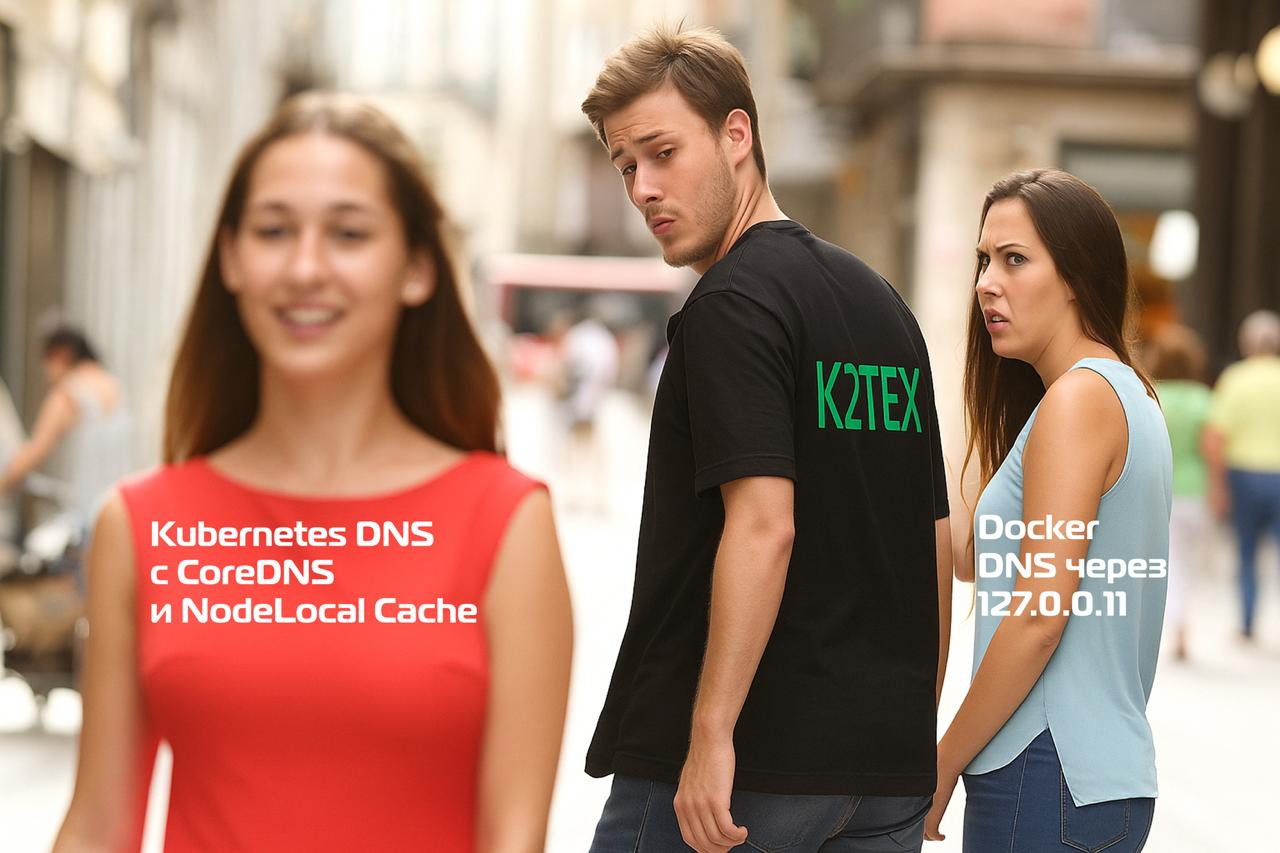
NodeLocal DNSCache introduces a modern approach to DNS optimization on Kubernetes. This is a DaemonSet that runs a DNS cache on each node in the cluster.
Advantages of NodeLocal DNSCache:
Reduced average DNS resolution time (Pods access local cache on the same node instead of going through the kube-dns Service)
Eliminating conntrack records for DNS connections (Directly accessing the local cache avoids iptables DNAT rules and connection tracking)
Direct access to Cloud DNS, bypassing kube-dns for external requests (This reduces the load on the central CoreDNS and improves latency.)
Automatic inheritance of stub domains and upstream nameservers
Architecture: pods access the DNS cache on the same node, avoiding iptables DNAT rules and connection tracking.
NodeLocal DNSCache configuration:
apiVersion: v1
kind: ConfigMap
metadata:
  name: node-local-dns
  namespace: kube-system
data:
  Corefile: |
    cluster.local:53 {
        errors
        cache {
            success 9984 30
            denial 9984 5
        }
        reload
        loop
        bind 169.254.20.25 10.96.0.10
        forward . __PILLAR__CLUSTER__DNS__ {
            force_tcp
        }
        prometheus :9253
        health 169.254.20.25:8080
    }
NodeLocal DNSCache runs on a special link-local IP address 169.254.20.25 on each node. Pods are automatically configured to use this address as their primary nameserver.
Customization for enterprise environments
Corporate environments place special demands on the DNS infrastructure: integration with existing name resolution systems, separation of internal and external zones, compliance with security policies and compliance requirements. CoreDNS provides flexible mechanisms to implement these requirements through stub domains, split-horizon DNS, network policies, and encrypted DNS.
CoreDNS supports flexible configuration of upstream servers and stub domains for integration with corporate DNS infrastructures:
# Конфигурация для корпоративного DNS
consul.local:53 {
    errors
    cache 30
    forward . 10.150.0.1
}

# Принудительное использование конкретного upstream
forward . 172.16.0.1  # вместо /etc/resolv.conf
Split-horizon DNS: different responses for internal and external queries:
# Пример split-brain конфигурации в CoreDNS
internal.company.com:53 {
    hosts {
        192.168.1.10 api.internal.company.com
        fallthrough
    }
    forward . 192.168.1.1  # внутренний DNS
}

external.company.com:53 {
    hosts {
        203.0.113.10 api.external.company.com
        fallthrough
    }
    forward . <dns1>     # внешний DNS
}
Restricting access to DNS servers: using network policies.
Kubernetes Network Policies allow you to implement fine-grained access control to CoreDNS, limiting which pods can make DNS queries and where CoreDNS can receive queries from.
Example of a basic NetworkPolicy for CoreDNS protection:
apiVersion: networking.k8s.io/v1
kind: NetworkPolicy
meta
  name: coredns-network-policy
  namespace: kube-system
spec:
  podSelector:
    matchLabels:
      k8s-app: kube-dns
  policyTypes:
  - Ingress
  ingress:
  # Разрешить DNS-запросы от всех подов в кластере
  - from:
    - namespaceSelector: {}
    ports:
    - protocol: UDP
      port: 53
    - protocol: TCP
      port: 53
 # Разрешить health-checks (для liveness/readiness проб)
  - from:
    - namespaceSelector: {}
    ports:
    - protocol: TCP
      port: 8080  # health
    - protocol: TCP
      port: 8181  # ready
  # Разрешить Prometheus метрики от мониторинга
  - from:
    - namespaceSelector:
        matchLabels:
          name: monitoring
    ports:
    - protocol: TCP
      port: 9153
DNS Monitoring and Logging
Effective monitoring of CoreDNS is critical to ensuring the stability of the entire Kubernetes cluster. DNS issues can lead to cascading failures where services cannot discover each other, making a monitoring system the first line of defense against serious incidents.
CoreDNS provides rich monitoring capabilities:
Prometheus metrics: Available on port 9153 for each CoreDNS pod.
Key metrics include:
- DNS response time
- Percentage of successful requests
- Cache hit ratio
- Number of upstream requests
Logging requests:
adding a plugin log in Corefile for detailed logging:
Corefile: |
  .:53 {
      log  # добавить для логирования всех запросов
      errors
      # остальная конфигурация
  }
Health checks and automatic recovery
CoreDNS provides two endpoints for health checking:
Health endpoint (/health:8080)
# пример liveness probe
livenessProbe:
  httpGet:
    path: /ready
    port: 8181
    scheme: HTTP
  initialDelaySeconds: 30
  periodSeconds: 10
  timeoutSeconds: 5
  failureThreshold: 5
Ready endpoint (/ready:8181)
# пример readiness probe
readinessProbe:
  httpGet:
    path: /health
    port: 8080
    scheme: HTTP
  initialDelaySeconds: 10
  periodSeconds: 10
  timeoutSeconds: 5
  successThreshold: 1
  failureThreshold: 3
Integration with cloud platforms
Kubernetes DNS architecture in a production environment rarely exists in isolation. Integration with cloud DNS services, automatic record management systems and service mesh solutions creates a comprehensive ecosystem that provides high availability, security and automation of DNS management.
Cloud DNS integration
Using managed DNS services from cloud providers. Google Cloud DNS, Amazon Route 53, and Azure DNS provide highly available and scalable solutions for external queries.
External DNS
External DNS takes Kubernetes DNS management to the next level by automatically creating and updating DNS records based on Kubernetes resources. This eliminates the need for manual DNS management and ensures that the cluster's state is fully synchronized with external DNS providers.
Architecture and operating principle
External DNS works as a controller that:
Monitors Kubernetes resources (Service, Ingress)
Retrieves DNS annotations from resources
Synchronizes records with an external DNS provider via API
Keeps records up to date when changes occur
Service mesh integration
Istio uses Envoy proxies to intercept all traffic, including DNS queries. In this architecture, DNS becomes part of the service mesh control plane.
Istio DNS Architecture:
Sidecar Envoy intercepts DNS requests from applications
Pilot provides service registry via xDS API
DNS proxy in Envoy resolves names based on Istio service registry
External domains are still resolved via CoreDNS
Practical recommendations and conclusions
Platform recommendations
If you are using Docker — pay attention to the differences between rootful and rootless modes.
In rootful mode
monitor the stability of DNS proxy 127.0.0.11
configure alternative DNS servers in daemon.json
when using systemd-resolved, create a symlink to
/run/systemd/resolve/resolv.confinstead ofstub-resolver
In rootless mode
Be aware of performance limitations due to slirp4netns
keep in mind that DNS server 10.0.2.3 is part of an isolated network stack
If you switch to modern Podman
migrate from CNI to Netavark/aardvark-dns for better performance.
Take advantage of dynamic DNS management via
podman network update.
In rootless mode
consider the limitations of slirp4netns
keep in mind that Podman 5.3+ uses pasta by default, but if you have problems with pasta you can revert to slirp4netns via
containers.conf
If you are using Kubernetes
be sure to consider implementing NodeLocal DNSCache to reduce latency.
optimize ndots for applications that make a lot of external requests.
configure the correct dnsPolicy for pods with hostNetwork.
monitor CoreDNS performance and plan for scaling
Conclusion
DNS in container environments is a multi-layered architecture with significant differences between platforms. Docker provides ease of use with a built-in DNS proxy, but requires special care in rootless mode. Podman demonstrates a strong evolution from legacy CNI to modern Netavark with aardvark-dns, delivering better performance and functionality. Kubernetes offers the most sophisticated and powerful DNS system with CoreDNS, but requires a deep understanding of configuration and optimization.
Containerized DNS architectures are a rapidly evolving field with ongoing improvements in performance, security, and functionality. Understanding each platform and applying modern practices provides a reliable and scalable DNS infrastructure for containerized applications. Investing in the right DNS architecture pays off through improved application performance, reduced operational costs, and increased overall system reliability.
Recommended reading
Why This Matters In Practice
Beyond the original publication, How DNS works in Linux. Part 4: DNS in containers matters because teams need reusable decision patterns, not one-off anecdotes. DNS in container environments represents a fundamentally different paradigm compared to traditional virtual machines or physical servers. Co...
Operational Takeaways
- Separate core principles from context-specific details before implementation.
- Define measurable success criteria before adopting the approach.
- Validate assumptions on a small scope, then scale based on evidence.
Quick Applicability Checklist
- Can this be reproduced with your current team and constraints?
- Do you have observable signals to confirm improvement?
- What trade-off (speed, cost, complexity, risk) are you accepting?



