How I Battled a Chinese Smart Cat Toilet
An engineer's war against a region-locked Chinese Petkit Pura Max self-cleaning cat litter box — from physical button-pushing robots to DNS hijacking and a custom Go reverse proxy that finally unlocked the device.
While scrolling through Ozon one day, I stumbled upon a device that caught my attention. The Petkit Pura Max self-cleaning cat litter box — a very interesting thing, especially when you have three cats. My furry bandits are big, they consume a lot of calories and consequently visit the litter box frequently.
Cleaning up after them is a whole quest, and if you want to leave the house for a day or two, you absolutely need someone to clean up after them. I bought a smart feeder and a water fountain long ago, the only thing left was a smart litter box. But my inner cheapskate started strangling me when I saw the price of this device — around 40,000 rubles — and I didn't buy it that time.
I had already forgotten about it, until one day I went on the Chinese Poizon marketplace and saw the same litter box for a laughable 10,000 rubles, with delivery to Russia — 12,000.
Without thinking twice, I ordered the litter box through a purchasing agent, and about a month later I became the happy owner of this wonderful device. Time to celebrate, right? But no.
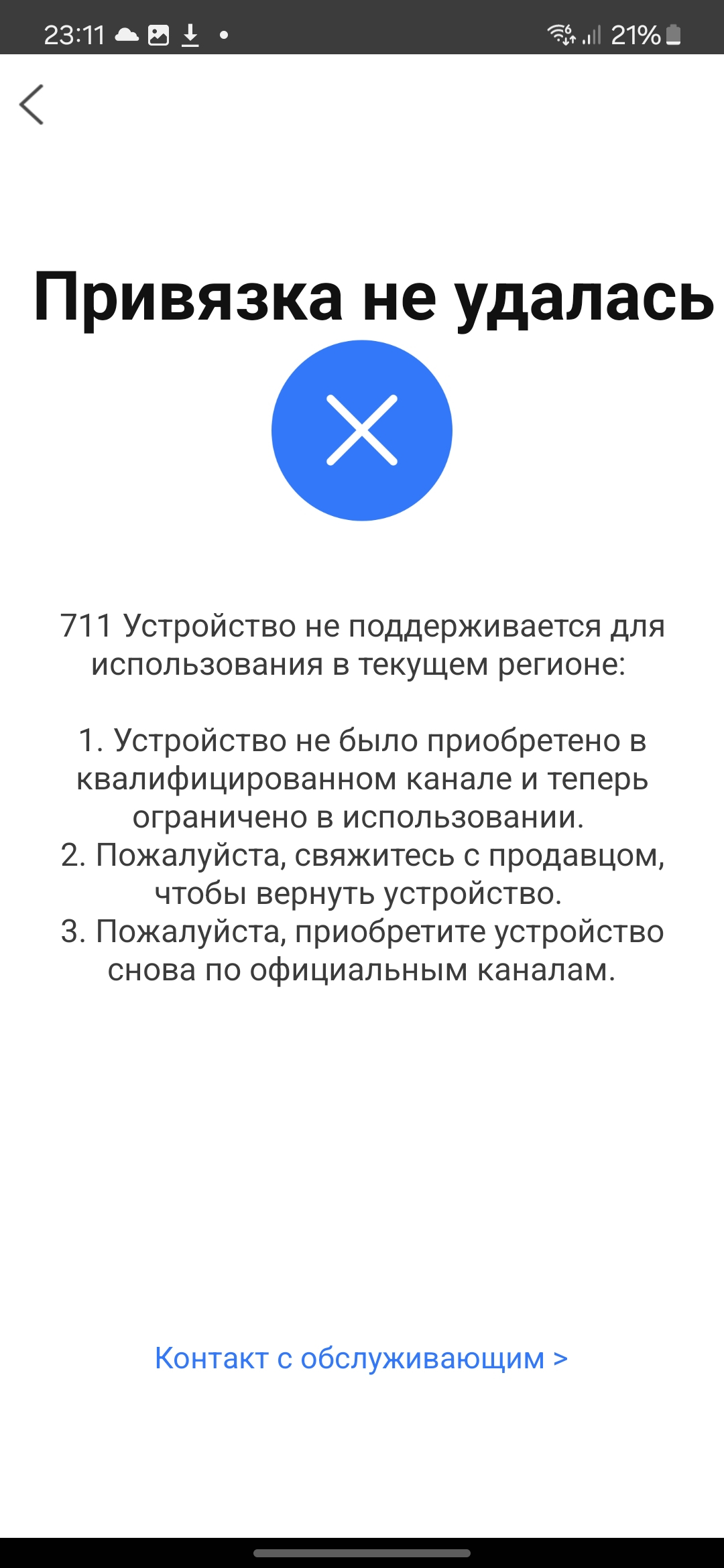
After unboxing, I started setting up the litter box and connecting it to the original app, but a surprise awaited me: the device was blocked in my region. I was recommended to return it to China or contact the seller. You can't really blame the seller — they did their job delivering it. Who's to blame that I didn't check the device's operating region? But honestly, it never even crossed my mind that someone would bother with such a region lock.
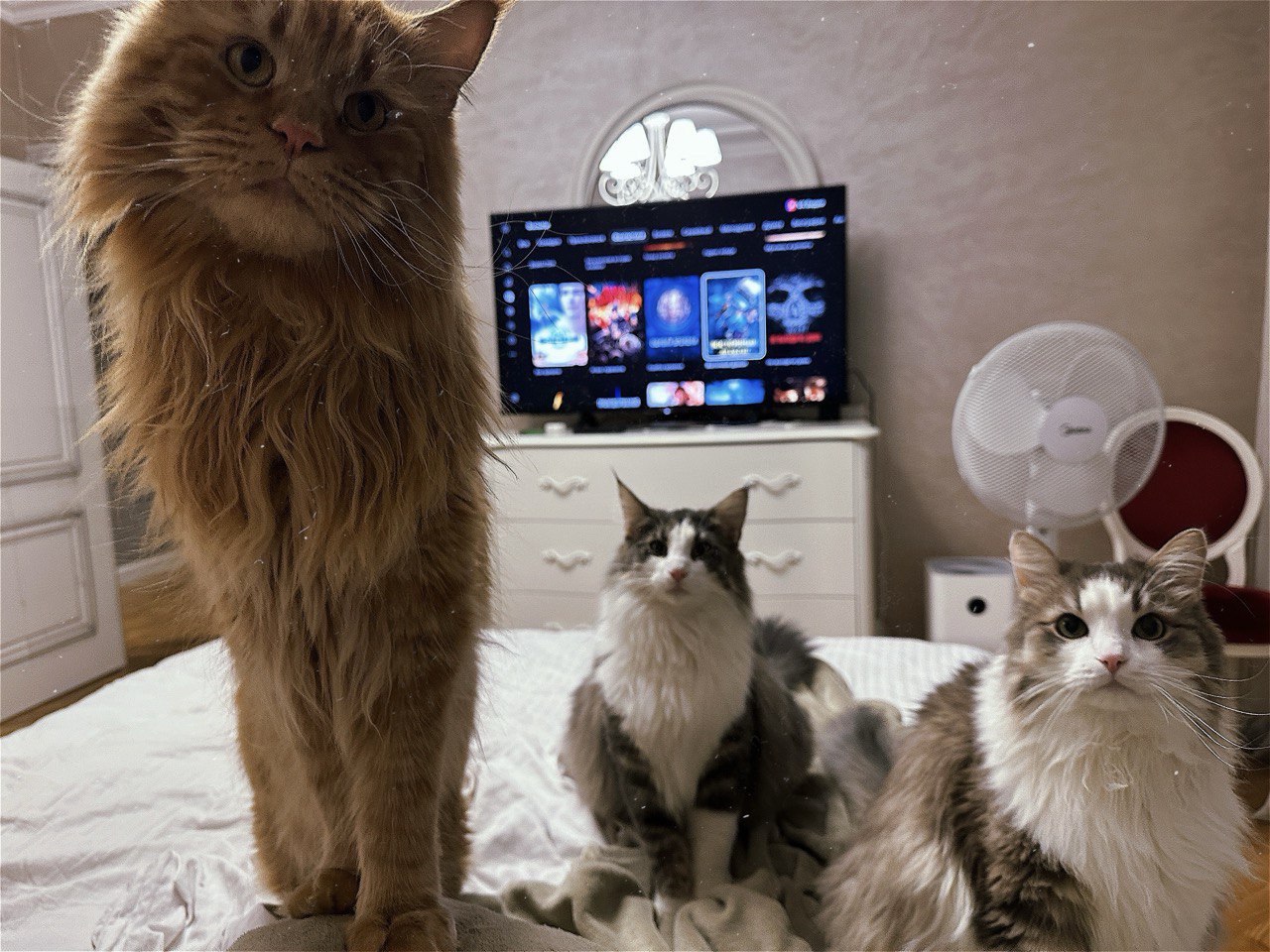
Smart toilet 1:0 Engineer
First, I went to read forums, where I found many fellow sufferers. They discussed various ways to unlock the device — Chinese VPNs, old APK versions of the app, someone even soldered a custom board that periodically shorted the necessary contacts to trigger cleaning.
None of the above helped me.
Well, time to show some engineering ingenuity.
Approach #1: Physical Button Simulation
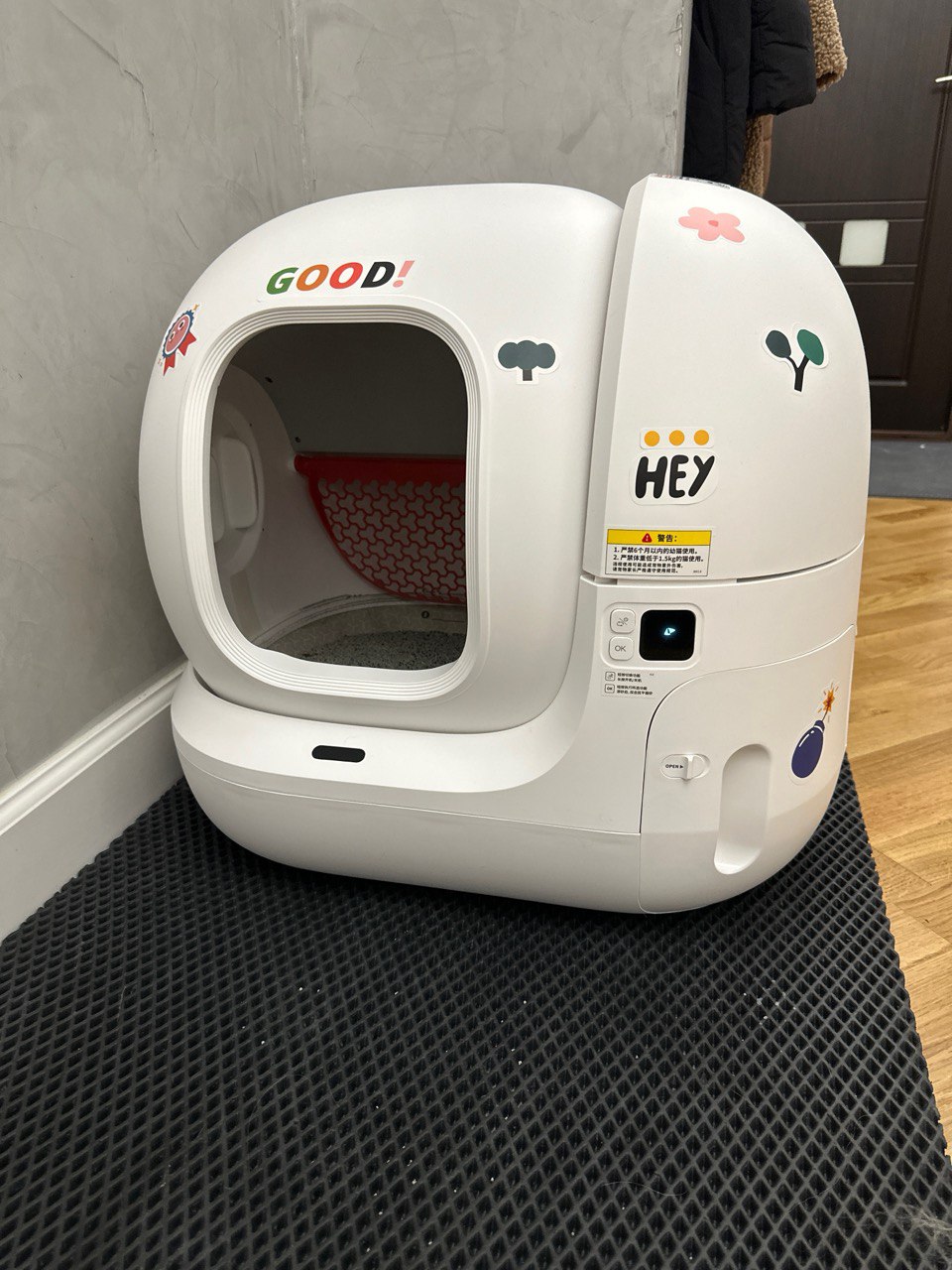
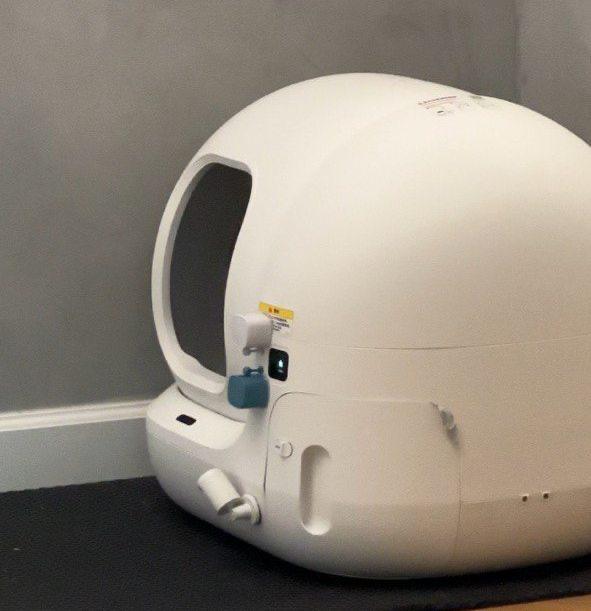
In the blocked toilet, the self-cleaning function didn't work and there was no connection to the native app, but when you pressed the buttons manually, the toilet cleaned itself. My first thought was to somehow simulate manual button presses in the right sequence. Said and done: I bought a Tuya hub, a motion sensor, and 2 Fingerbot buttons that simulate finger presses. After some tweaking with settings and choosing optimal delay values, this setup worked — I glued all these sensors to the toilet and five minutes after a cat used the litter box, the buttons would press the right sequence. And voila — the toilet cleaned itself.
Smart toilet 1:1 Engineer
I tied the score. Now I could leave for a day or two, and the litter box worked on its own.
After a brief moment of joy, I discovered several unpleasant nuances with this setup:
- Once we left home for 24 hours, and my wife, having a habit of unplugging everything unnecessary, accidentally unplugged the Tuya smart hub. The entire contraption stopped working and we had to urgently call friends for help.
- False triggers — sometimes one of the cats just walked by and triggered the motion sensor, even though they didn't actually use the litter box.
- The cats chewed off the sensors and buttons glued to the toilet when they were bored.
Approach #2: Network-Level Hacking
When the cats once again chewed off the sensors, I realized my workaround was far from ideal and something needed to be done. At work, a CTF contest had just ended and, emboldened by my 66th place in the overall standings, I decided it was time to properly tackle this problem.
First, I figured that since the litter box requires a WiFi connection, it communicates with Petkit's servers over the internet. And if it's not HTTPS, I might be able to read that traffic and find some clue. But the question arose: how exactly do you route traffic from a litter box through a proxy? For a phone, it's simple — you just enter the proxy address in the WiFi settings. But what do you do with an IoT device? That's when I got the idea to spoof the IP address of the Petkit server via DNS.
Pour a cup of hot tea and let's get to work.
Setting Up a Custom DNS Server
The first thing to do was to spoof the domain resolution to our IP address. I rented a simple Linux server and set up a DNS proxy on it.
First, install bind9:
sudo apt update
sudo apt install bind9
After installation, verify that bind9 is working:
nslookup google.com 127.0.0.1The response should look like this:
Server:     127.0.0.1
Address:    127.0.0.1#53

Non-authoritative answer:
Name:   google.com
Address: 216.58.207.238
Name:   google.com
Address: 2a00:1450:400f:80d::200e
Next, configure BIND9. Allow it through the firewall:
sudo ufw allow Bind9Edit the configuration:
sudo vim /etc/bind/named.conf.optionsBy default, BIND9 only works for the local network. We need to allow all queries:
allow-query { any; };Since our DNS server is just a proxy, we need to configure forwarding DNS servers for requests our server doesn't handle. I'll use Cloudflare's DNS:
forwarders {
  1.1.1.1;
  1.0.0.1;
};
My final config:
options {
    directory "/var/cache/bind";
    forwarders {
        1.1.1.1;
        1.0.0.1;
    };
    allow-query { any; };
    dnssec-validation auto;
    listen-on-v6 { any; };
};
Next, create the zone file /etc/bind/db.eu-pet.com and point it to our server's IP:
;
; BIND data file for api.eu-pet.com
;
$TTL    86400
@       IN      SOA     ns1.eu-pet.com. admin.eu-pet.com. (
                        2024050701      ; Serial
                        3600            ; Refresh
                        1800            ; Retry
                        604800          ; Expire
                        86400 )         ; Minimum TTL

; Name servers
@       IN      NS      ns1.eu-pet.com.

; A records
@       IN      A       <your_server_ip_address>
api     IN      A       <your_server_ip_address>
ns1     IN      A       <your_server_ip_address>

; Wildcard
;*       IN      A       <your_server_ip_address>
Add our config to BIND9 in /etc/bind/named.conf.local:
zone "eu-pet.com" {
    type master;
    file "/etc/bind/db.eu-pet.com";
};
Verify everything is correct and restart BIND9:
sudo named-checkconf
sudo named-checkzone eu-pet.com /etc/bind/db.eu-pet.com
sudo systemctl restart bind9
Now exit the remote server and test the DNS:
nslookup api.eu-pet.com <your_ip_address>You should see:
Server:     192.168.0.1
Address:    192.168.0.1#53

Name:   api.eu-pet.com
Address: <your_ip_address>
Our DNS correctly redirects traffic, and we can start building our proxy.
Writing the Reverse Proxy
I wrote a simple proxy in Golang, deployed it in Docker on the same rented server. It intercepted incoming requests from the litter box, forwarded them to Petkit's servers, received the responses, modified the necessary field, and returned the altered response back to the litter box.
All of this could have been done with Charles Proxy, but I wanted to create a solution that anyone could easily reuse.
The code turned out to be quite simple, with no third-party libraries:
package main

import (
    "bytes"
    "encoding/json"
    "io"
    "log"
    "net/http"
    "net/http/httputil"
    "net/url"
    "strconv"
)

const (
    targetURL   = "http://api.eu-pet.com"
    proxyPort   = ":8080"
    specialPath = "/6/t4/dev_device_info"
)

func modifyResponse(resp *http.Response) error {
    if resp.Request.URL.Path != specialPath {
        return nil
    }

    body, err := io.ReadAll(resp.Body)
    if err != nil {
        return err
    }
    bodyErr := resp.Body.Close()
    if bodyErr != nil {
        return bodyErr
    }

    var data map[string]interface{}
    if err := json.Unmarshal(body, &data); err != nil {
        log.Printf("JSON parse error: %v", err)
        return nil
    }

    if result, ok := data["result"].(map[string]interface{}); ok {
        if settings, ok := result["settings"].(map[string]interface{}); ok {
            if autowork, exists := settings["autoWork"].(float64); exists {
                log.Printf("Modifying autowork from %.0f to 1", autowork)
                settings["autoWork"] = 1
            }
        }
    }

    modifiedBody, err := json.Marshal(data)
    if err != nil {
        return err
    }

    resp.Body = io.NopCloser(bytes.NewBuffer(modifiedBody))
    resp.ContentLength = int64(len(modifiedBody))
    resp.Header.Set("Content-Length", strconv.Itoa(len(modifiedBody)))

    return nil
}

func NewReverseProxy(target *url.URL) *httputil.ReverseProxy {
    proxy := httputil.NewSingleHostReverseProxy(target)

    proxy.Director = func(req *http.Request) {
        req.URL.Scheme = target.Scheme
        req.URL.Host = target.Host
        req.Host = target.Host
    }

    proxy.ModifyResponse = func(resp *http.Response) error {
        return modifyResponse(resp)
    }

    proxy.ErrorHandler = func(rw http.ResponseWriter, req *http.Request, err error) {
        log.Printf("Proxy error: %v", err)
        rw.WriteHeader(http.StatusBadGateway)
        _, _ = rw.Write([]byte("Proxy error: " + err.Error()))
    }

    return proxy
}

func proxyHandler(proxy http.Handler) http.Handler {
    return http.HandlerFunc(func(w http.ResponseWriter, r *http.Request) {
        log.Printf("Proxying request for host: %s", r.Host)
        proxy.ServeHTTP(w, r)
        return
    })
}

func main() {
    target, err := url.Parse(targetURL)
    if err != nil {
        log.Fatal(err)
    }
    proxy := NewReverseProxy(target)
    handler := proxyHandler(proxy)
    log.Printf("Starting proxy server on %s", proxyPort)
    log.Fatal(http.ListenAndServe(proxyPort, handler))
}
The proxy source code is available here if you want to deploy it yourself: https://github.com/dzaytsev91/petkit-proxy/
The Final Battle
Now that the DNS was configured and the proxy was ready, the rest was just technical details. I set our DNS in the router. Then I connected the litter box to WiFi through the app several times, observed what requests and responses it sent, and confirmed that all traffic went over plain HTTP — our proxy could easily perform the substitution.
It took me some time to dig through the Petkit API endpoints, and I found the right URL and the right field fairly quickly. The challenge was getting the litter box to actually call that specific URL. I spent about an hour trying everything: unplugging the litter box, reconnecting to the app, switching WiFi networks. Nothing forced the litter box to hit the endpoint I needed. But eventually it surrendered and made the request (I still don't know when and why it does this), and our proxy successfully modified the autoWork=1 field in the response. Then we waited for a cat to do its business (thankfully there are three of them and they didn't keep us waiting). And voila — everything works!
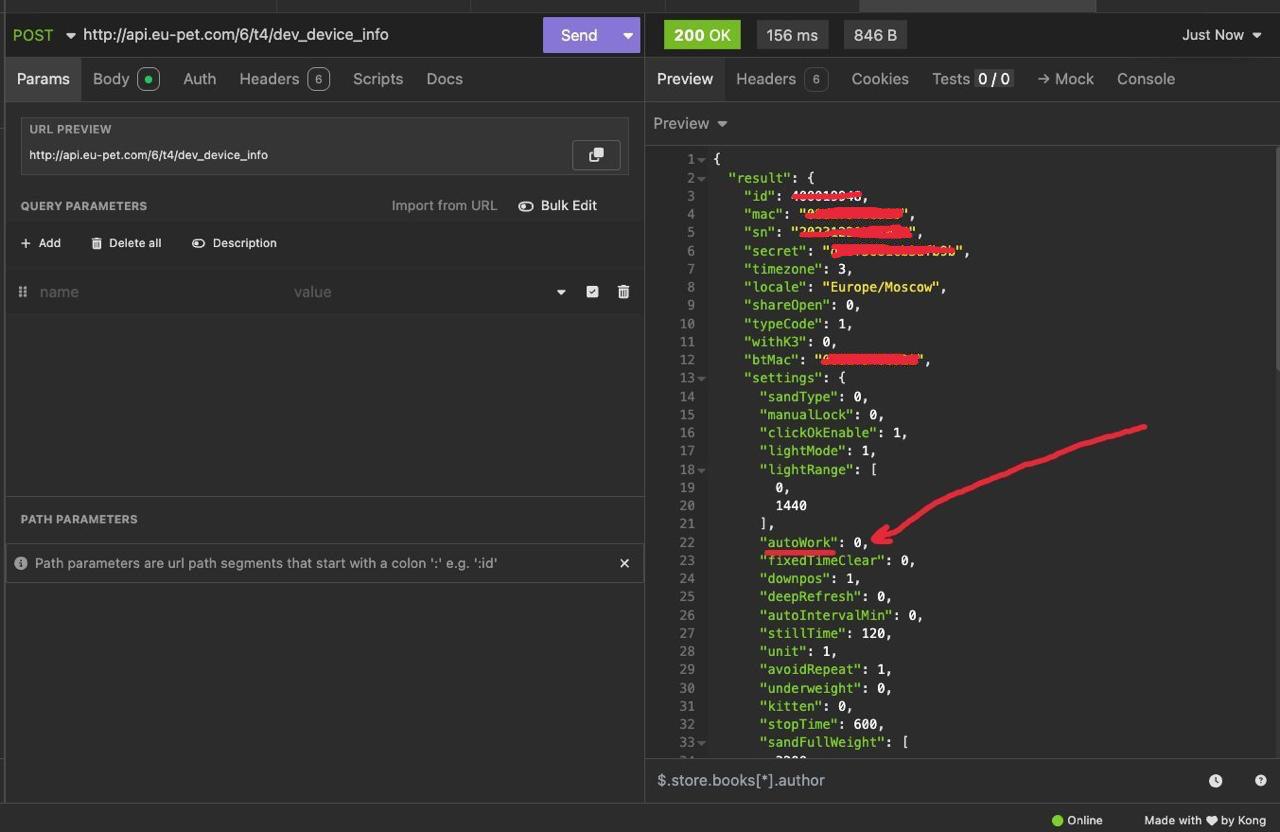
Now you simply change the password on the WiFi network the litter box is connected to, and without internet access, it permanently remembers the settings and works in automatic mode.
Of course, you can't call this full-featured operation of the litter box, but the most important and necessary function has been activated.
In a tense battle, I clawed my way to victory over the Chinese marvel.
Smart toilet 1:2 Engineer
FAQ
What is this article about in one sentence?
This article explains the core idea in practical terms and focuses on what you can apply in real work.
Who is this article for?
It is written for engineers, technical leaders, and curious readers who want a clear, implementation-focused explanation.
What should I read next?
Use the related articles below to continue with closely connected topics and concrete examples.





