Kubernetes Explained Simply: The Easiest Explanation of What It Is
A beginner-friendly guide to Kubernetes covering its architecture, core components like Pods, Deployments, and Services, and why it has become the industry standard for container orchestration.
Kubernetes has become the industry standard for managing containerized applications. But for many developers, it remains a mysterious black box. Let's break it down in the simplest possible terms.
How Everything Worked Before Kubernetes
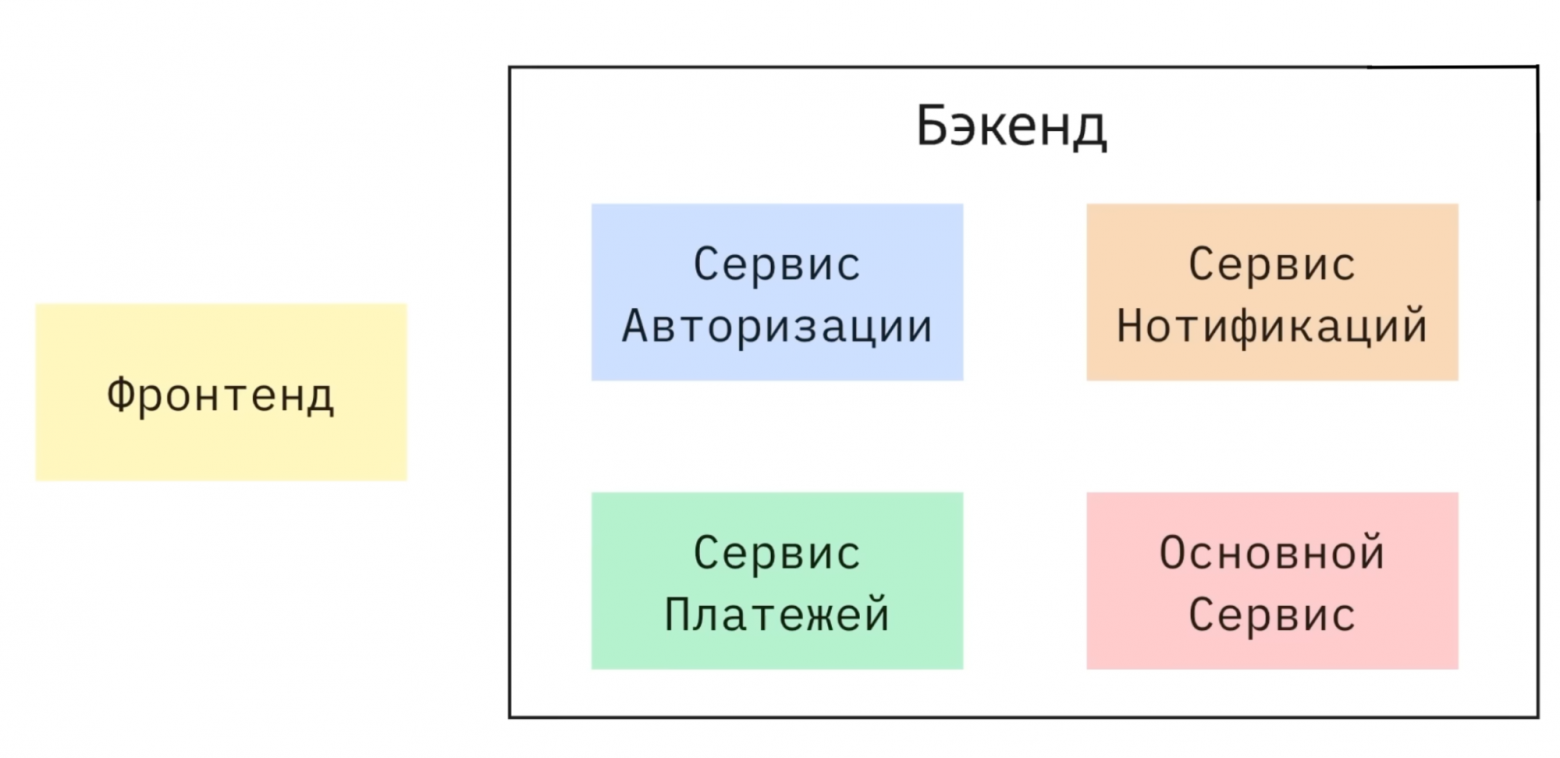
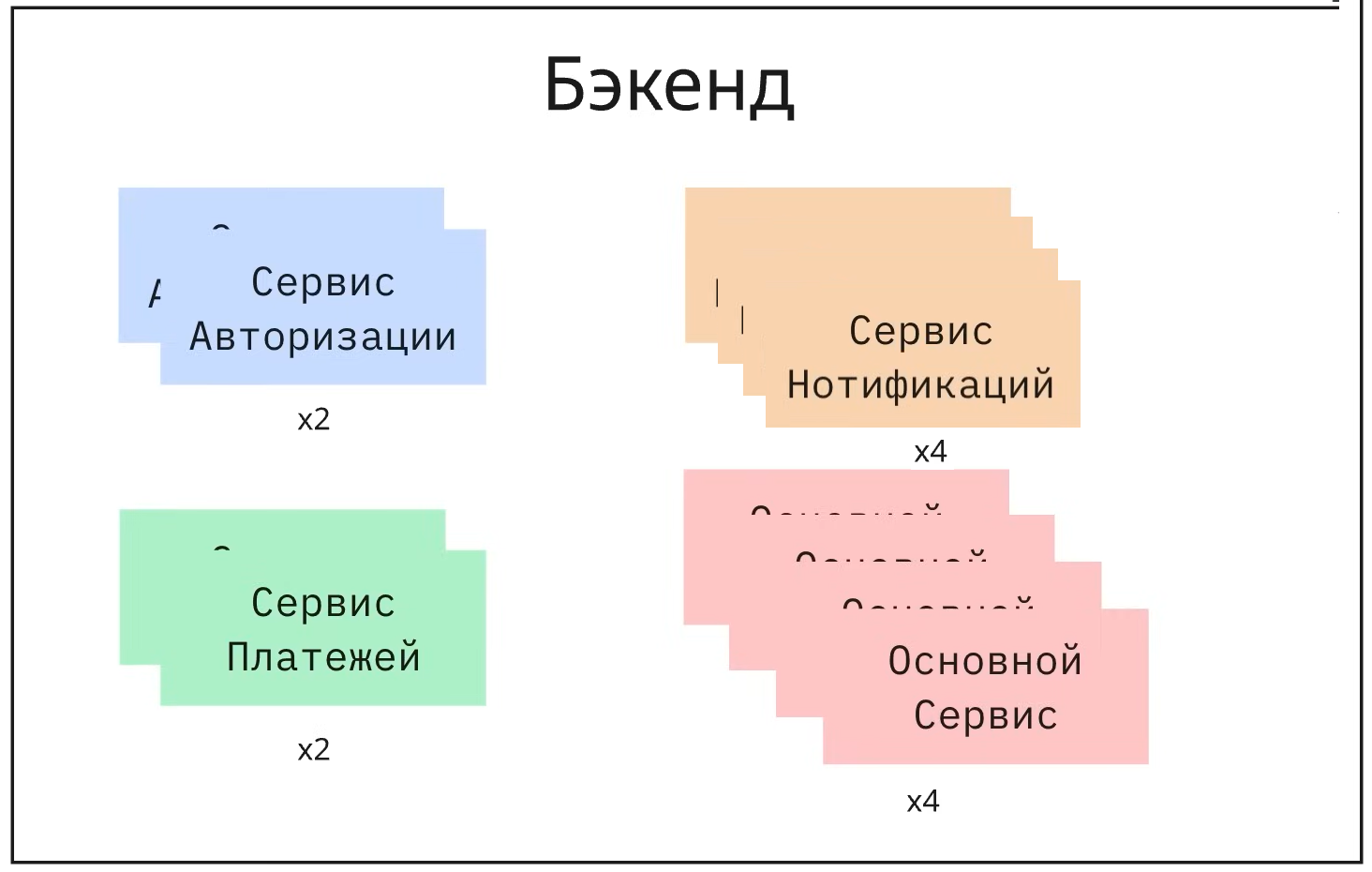
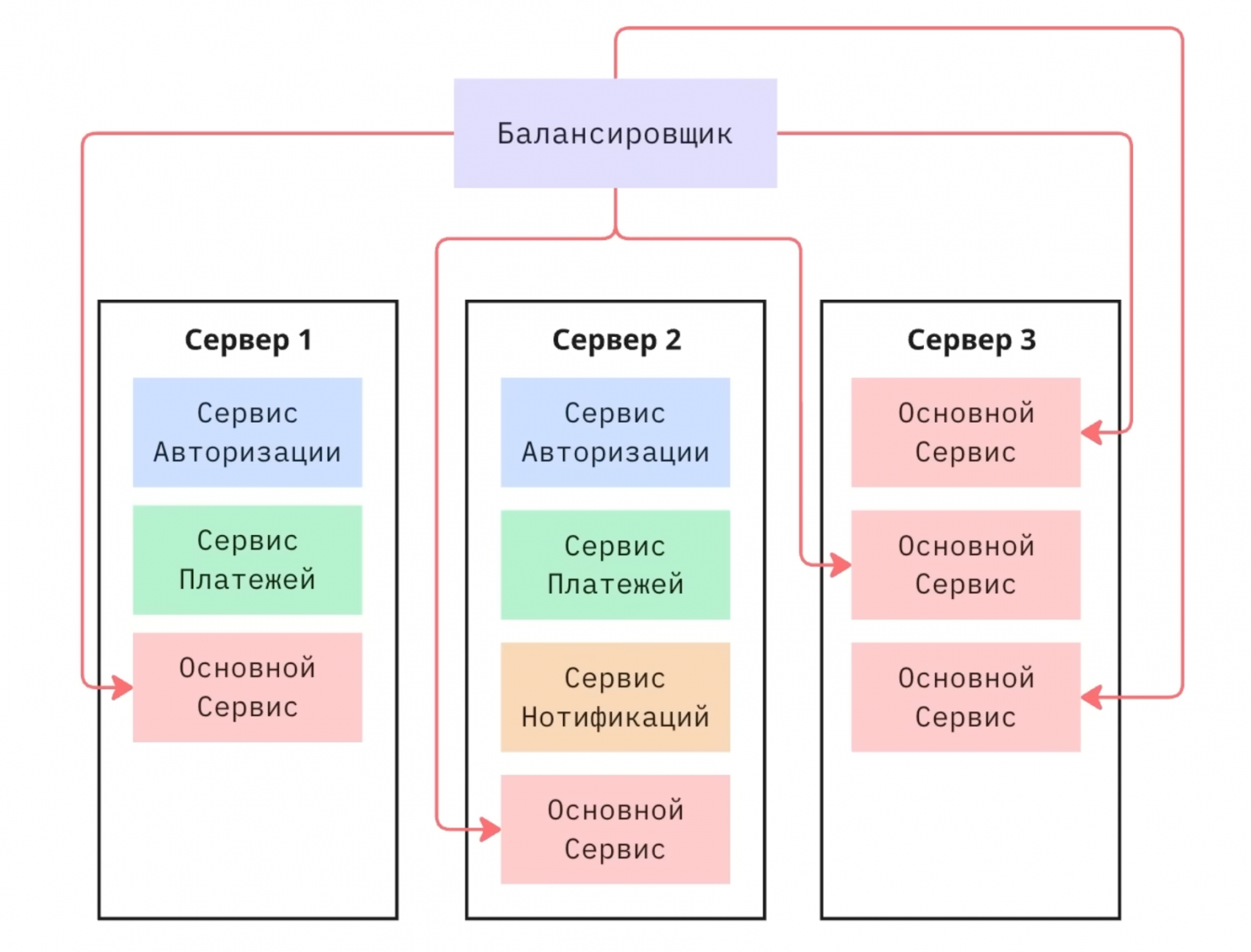
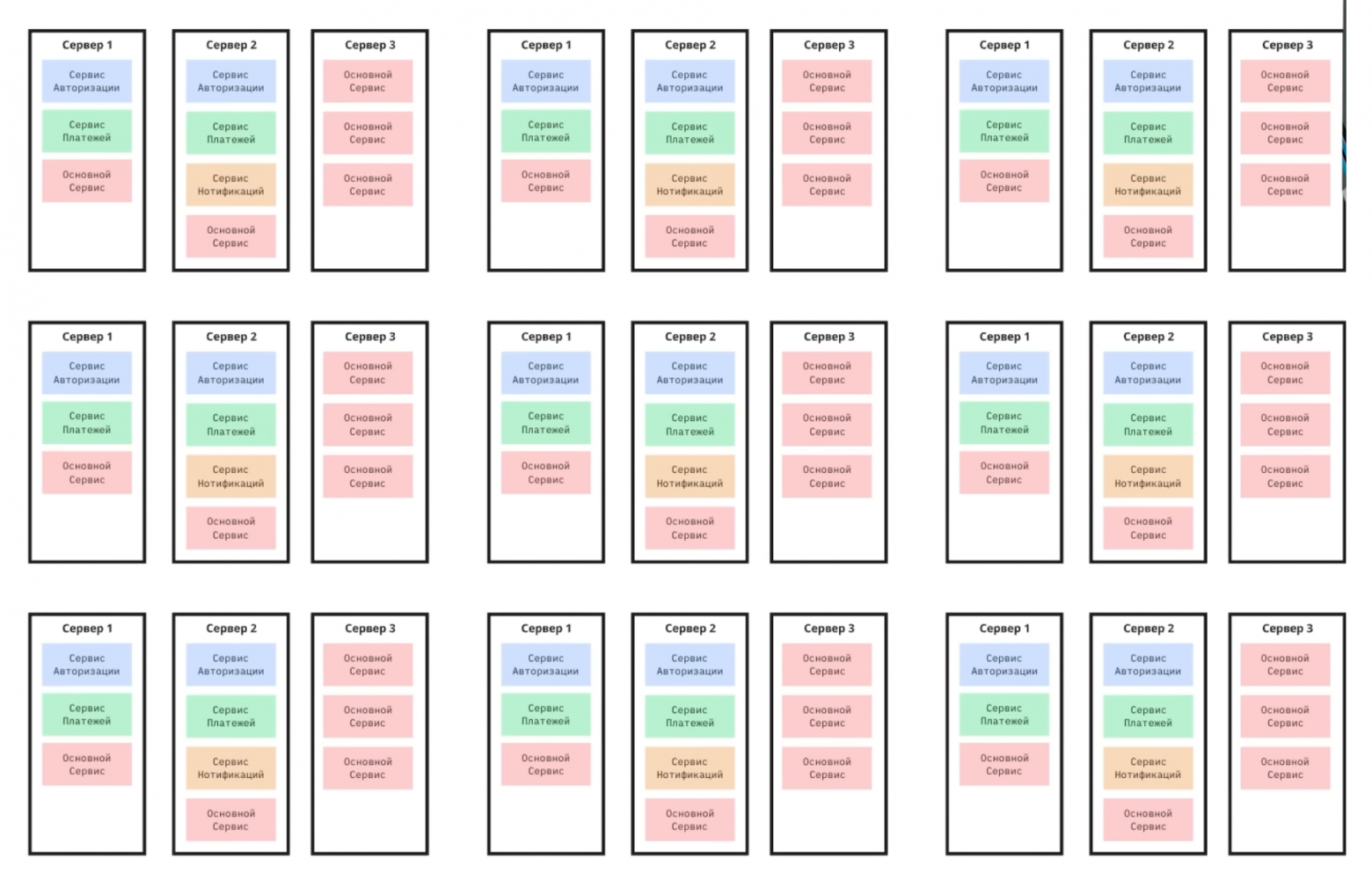
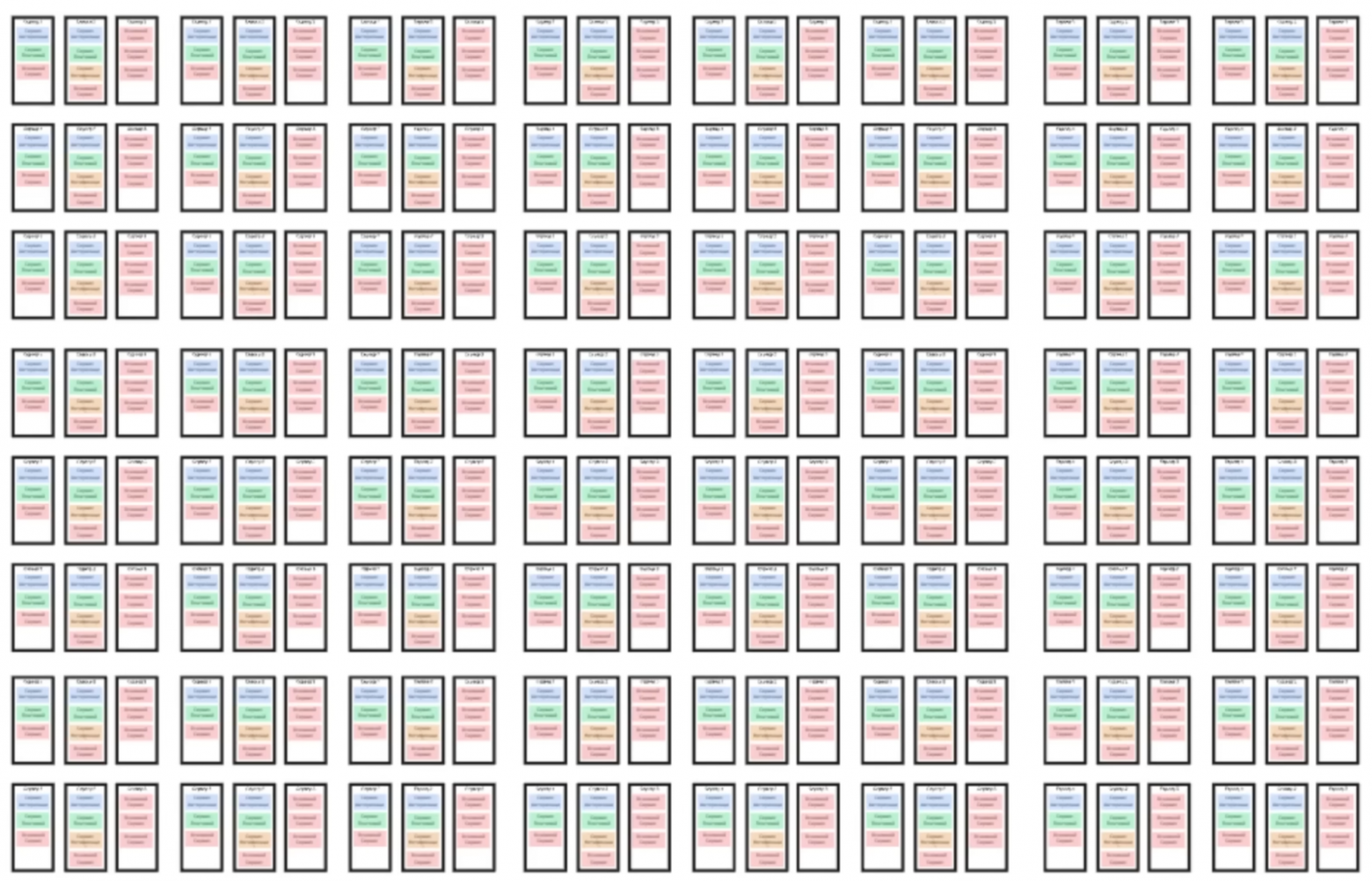
Traditionally, applications consisted of a frontend and backend with several microservices — authentication, notifications, payments. Due to uneven load, each service was deployed in multiple instances across different servers to ensure fault tolerance.
The problems with manual management were numerous:
- You had to manually specify IP addresses and ports in the load balancer
- Scaling required constant configuration updates
- Failed services didn't restart automatically
- Updates required sequentially disabling and enabling services
- Version rollbacks had to be performed manually on each server
What Is Kubernetes?
Kubernetes is an open-source system that automates the deployment, scaling, and management of containerized applications. Specifically, it handles:
- Deployment — rolling out new instances
- Self-healing — automatically restarting crashed applications
- Management — controlling the application lifecycle
- Scaling — dynamically changing the number of replicas
- Traffic balancing — distributing load between instances
What Kubernetes does NOT do: It doesn't store data, doesn't store application images, and doesn't build Docker images.
Kubernetes Architecture
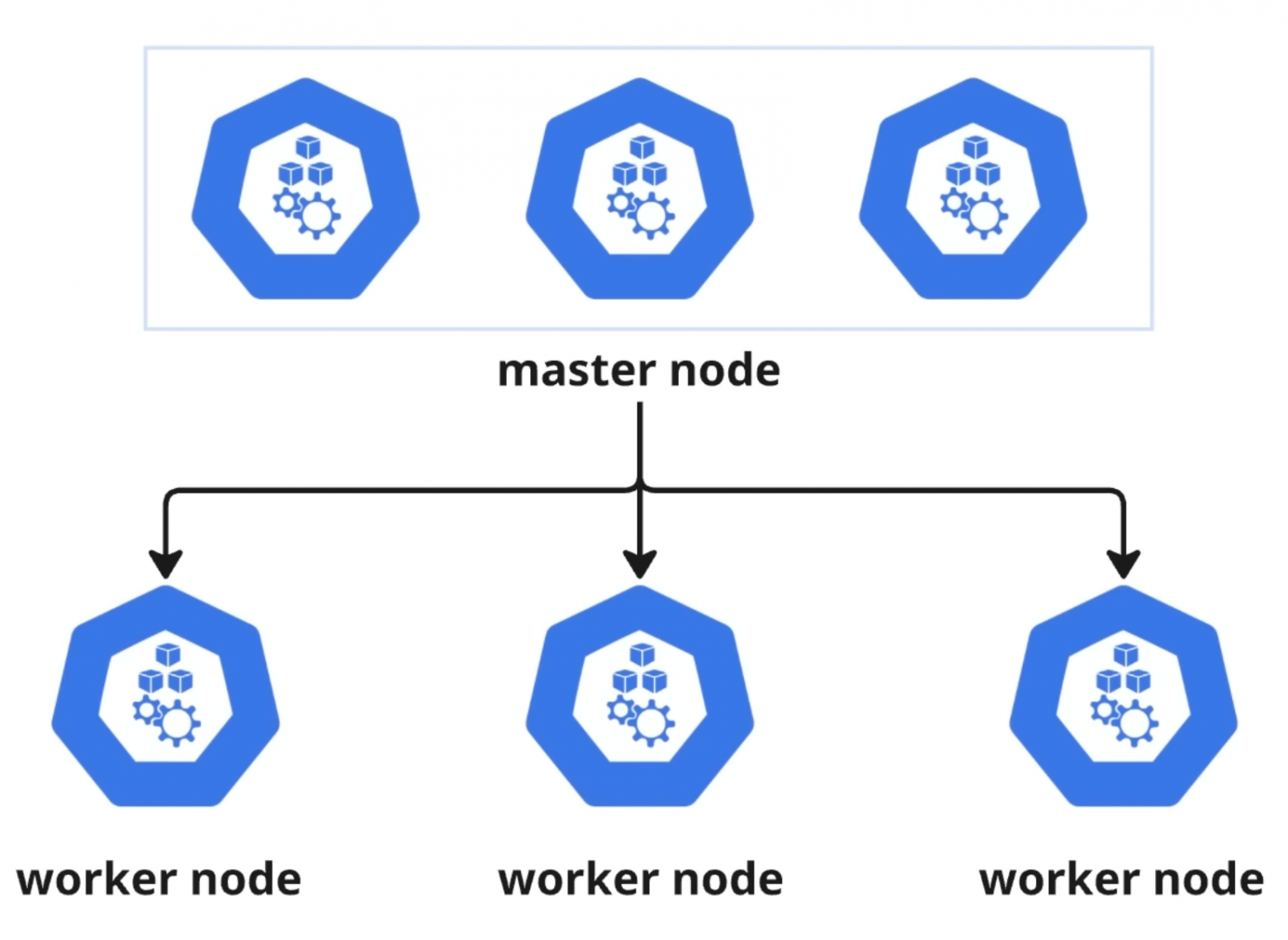
A Kubernetes cluster consists of two types of nodes:
- Master Node — the control center (the brain of the system)
- Worker Nodes — servers where your applications actually run
Master Node Components
For fault tolerance, you typically run 3 master nodes. Each contains:
- etcd — a key-value database storing the cluster's configuration and state
- Scheduler — determines which worker node should run a new application instance
- API Server — the single entry point into the cluster, processing requests from all components
- Controller Manager — monitors whether the actual state matches the desired state
The primary tool for interacting with Kubernetes is kubectl — a command-line interface that communicates with the API Server.
What Is Minikube?
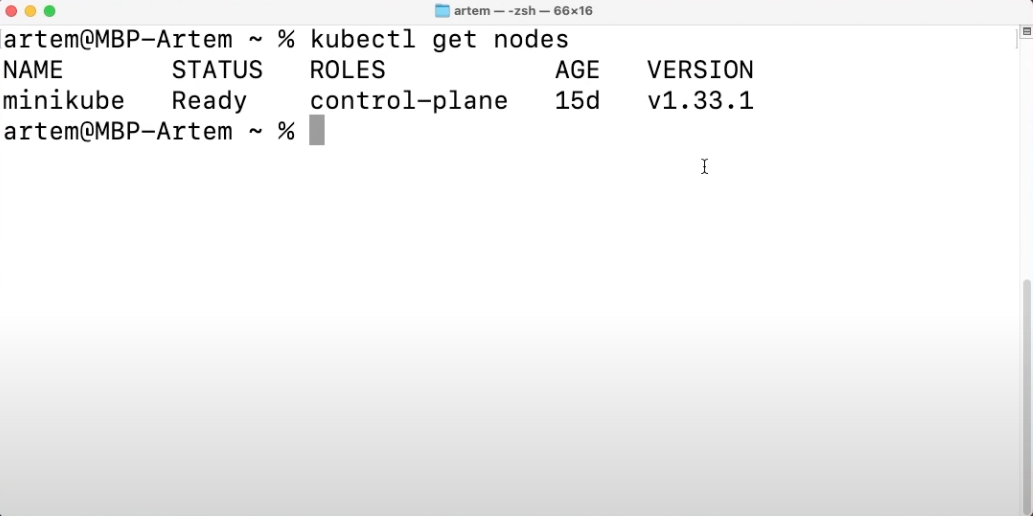
Minikube creates a local Kubernetes cluster on a single machine — your computer or laptop. It's installed with just two commands and started via minikube start. Both worker and master node functions are combined in one system, making it perfect for learning and development.
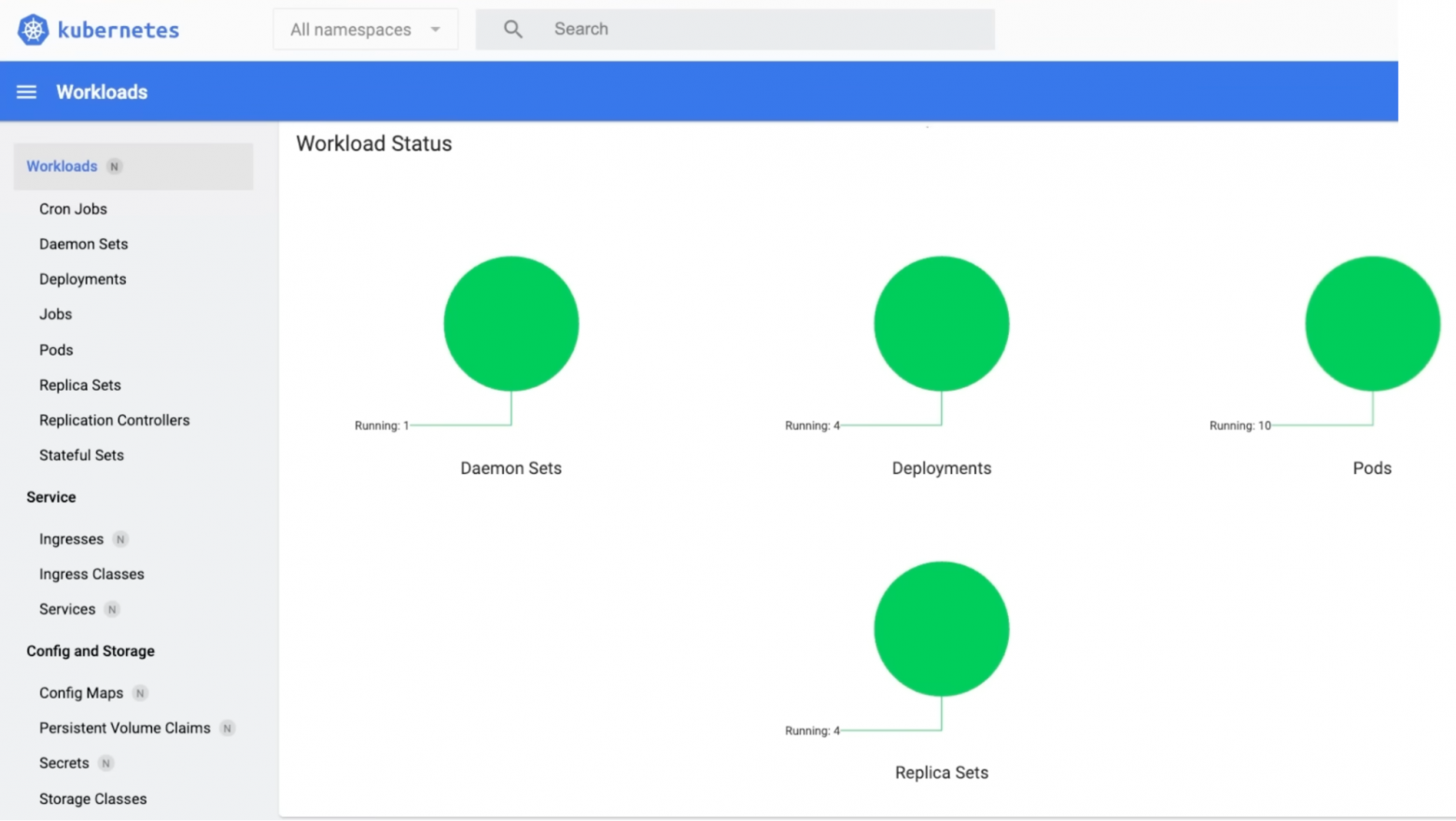
The Kubernetes Dashboard provides a visual interface for monitoring Deployments, Pods, Replica Sets, CPU and memory usage, and logs.

Deployments and Pods
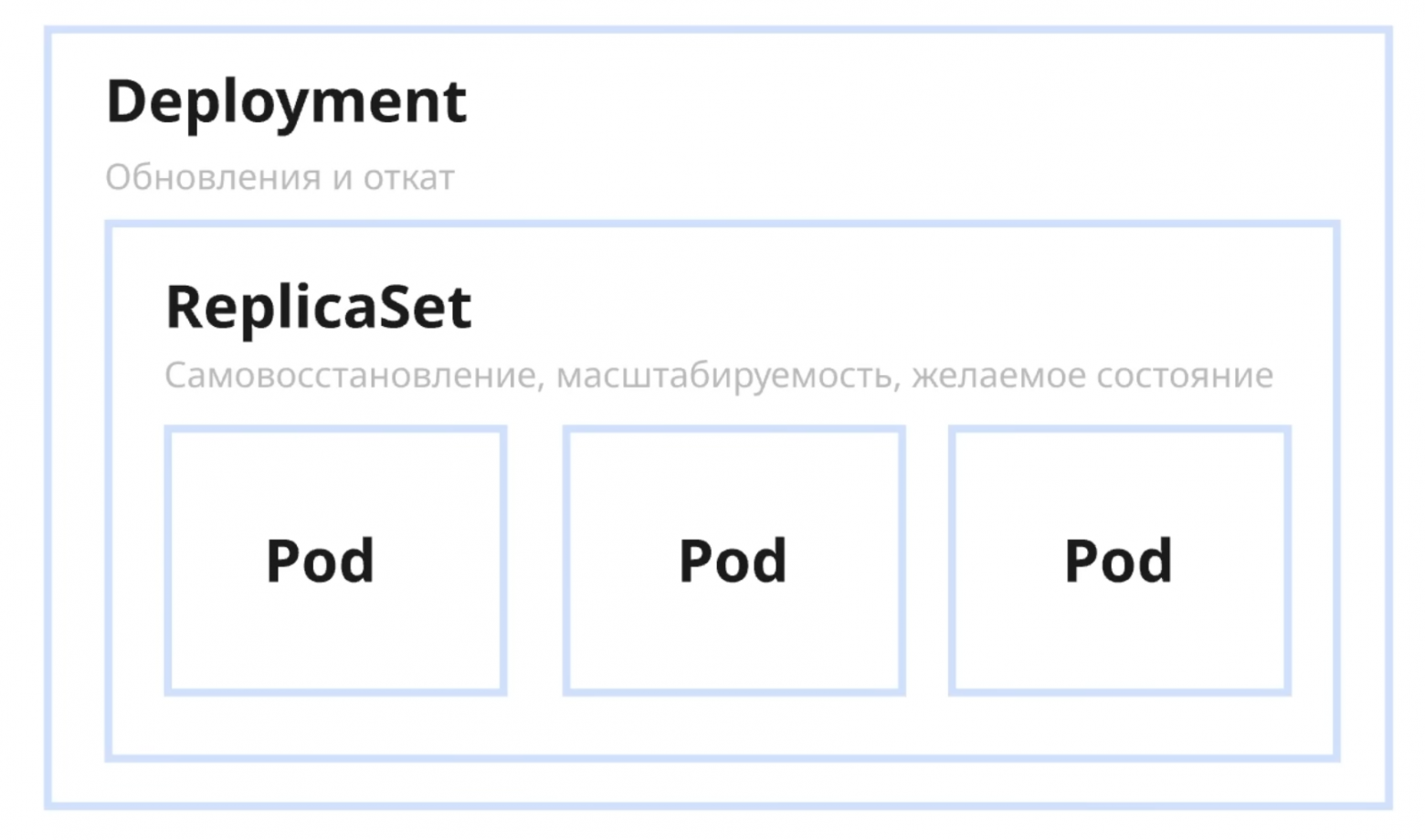
A Pod is the smallest unit in Kubernetes, typically containing a single Docker container. A Deployment is a YAML file describing the desired configuration. Here's how it works:
- A Deployment creates a ReplicaSet
- The ReplicaSet launches the specified number of Pods and monitors their health
Managing Traffic
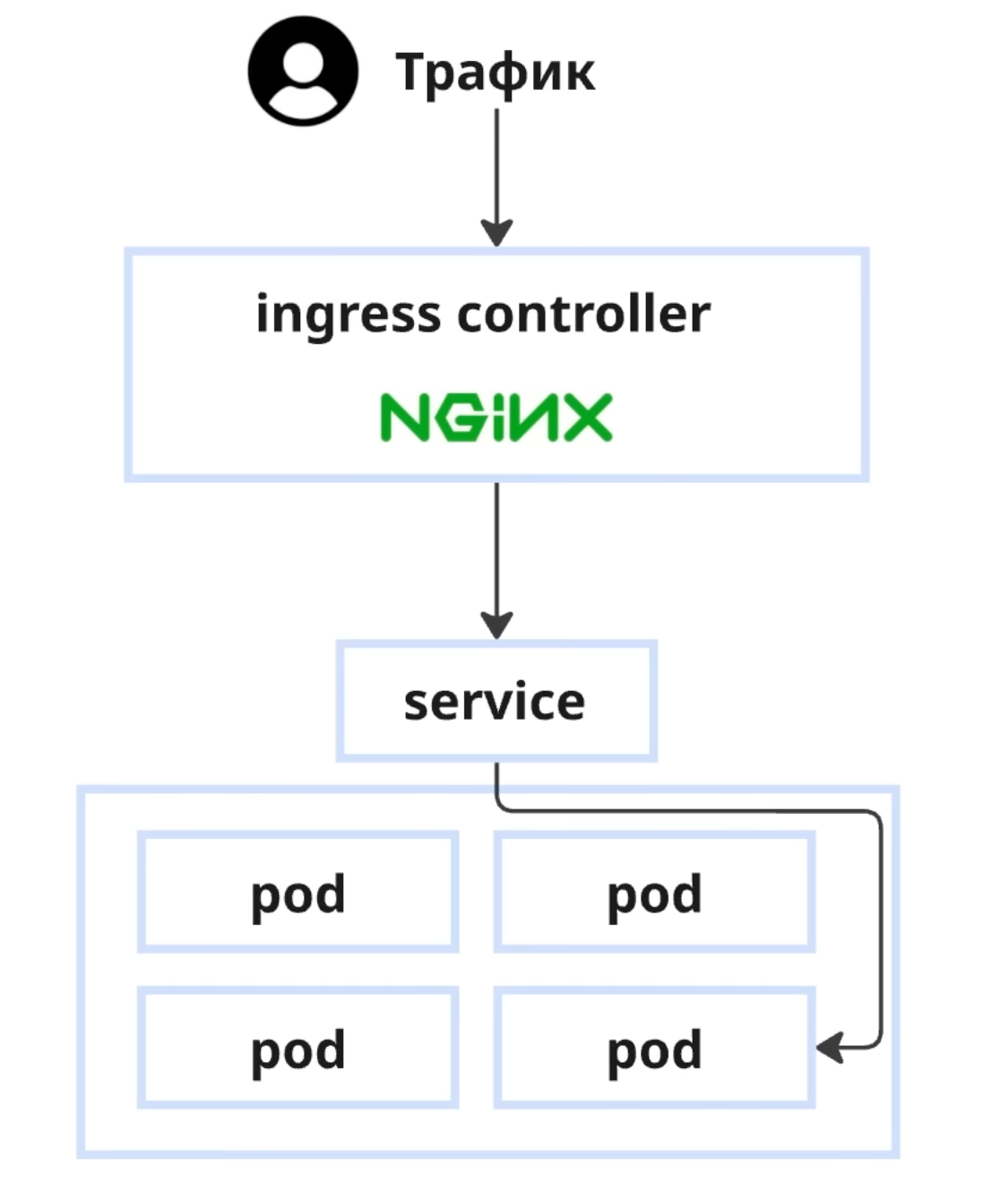
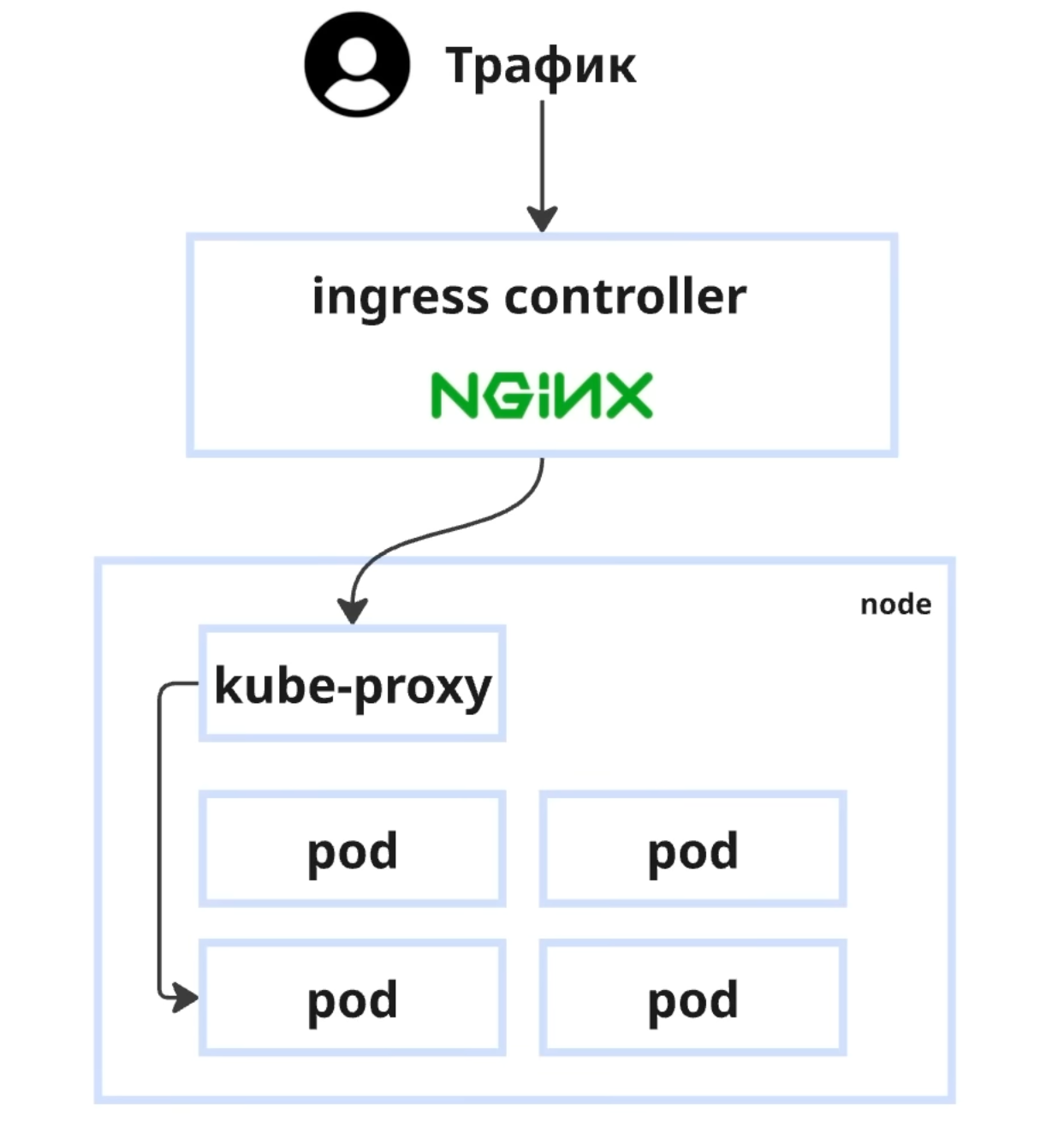
Traffic flows through the following architecture:
Internet → Ingress Controller (Nginx) → Service → Pod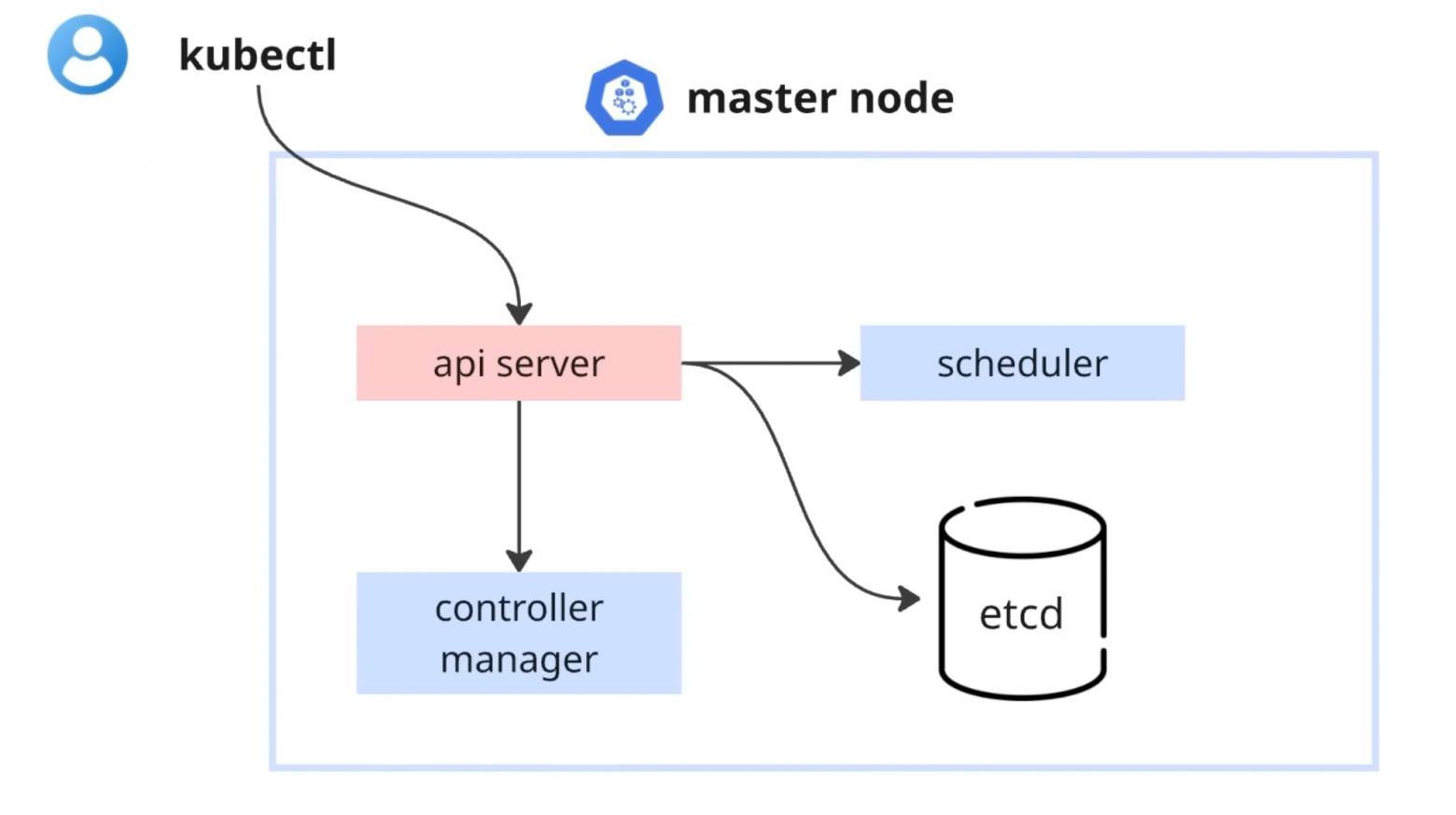
A Service is necessary because:
- Pods are deployed across different nodes
- Pod IP addresses change when they're recreated
- A Service provides a stable entry point for multiple pods
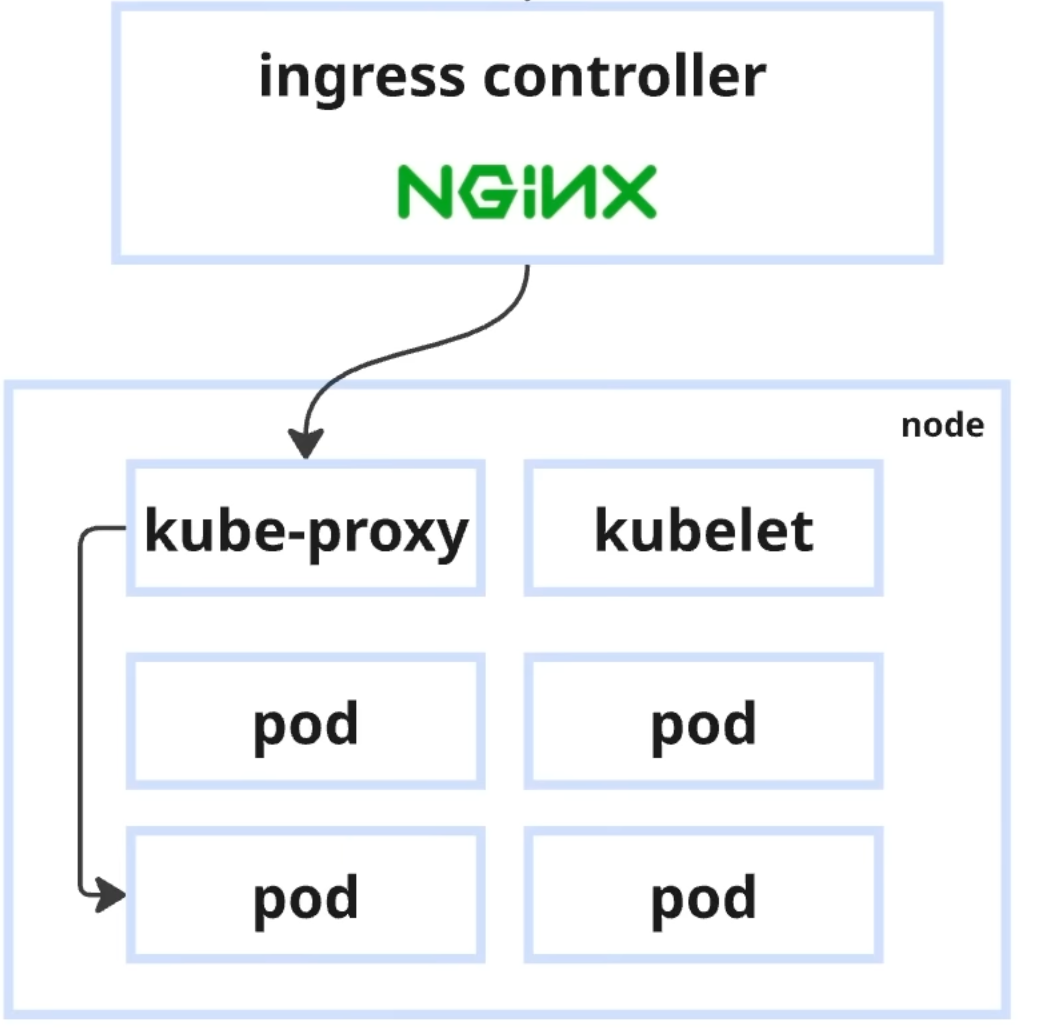
On each Worker Node, two key components handle traffic:
- kube-proxy — redirects traffic from the Service to the correct Pod and balances load
- kubelet — checks every few seconds whether the application is alive and starts the required number of replicas
StatefulSets for Databases
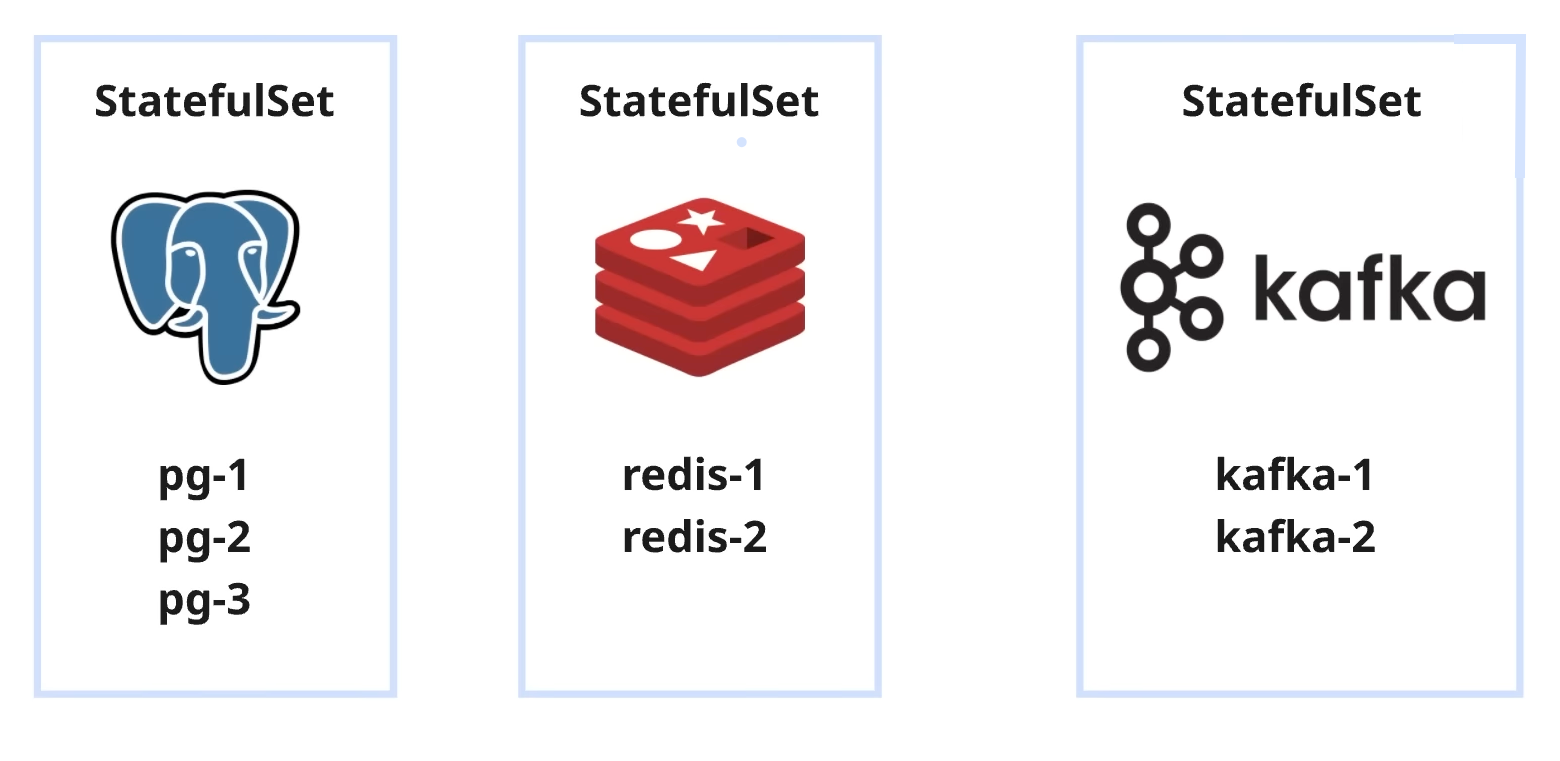
For stateful applications like PostgreSQL, Redis, or Kafka, Kubernetes offers StatefulSets:
- Each instance receives a unique IP and name
- Data is bound to a specific Pod
- Replication and health checks are supported
Kubernetes by the Numbers
Global statistics for 2024 paint a clear picture:
- 96% of companies use or are evaluating Kubernetes
- 45% operate 5 or more clusters
- 15% run 50+ clusters in production
In Russia, 57% of companies use Kubernetes for orchestration.
Managed Kubernetes
Managing a Kubernetes cluster yourself is complex. The solution is to delegate management to a provider (Managed Kubernetes), which offers:
- Simplified deployment and scaling
- Guaranteed stability through SLA
- Built-in fault tolerance and auto-scaling
- Freeing your team to focus on product development
Conclusion
Kubernetes solves the critical problems of manual infrastructure management by automating deployment, scaling, and application recovery. It has become the industry standard for container orchestration, enabling teams to build flexible and stable IT infrastructures ready for digital challenges and rapid growth.
FAQ
What is this article about in one sentence?
This article explains the core idea in practical terms and focuses on what you can apply in real work.
Who is this article for?
It is written for engineers, technical leaders, and curious readers who want a clear, implementation-focused explanation.
What should I read next?
Use the related articles below to continue with closely connected topics and concrete examples.





