Running GPT-OSS-120B on a 6 GB GPU and Accelerating to 30 t/s
A practical guide to running the massive GPT-OSS-120B MoE model on consumer GPUs with as little as 6 GB VRAM by leveraging the -cmoe flag in llama.cpp to offload expert layers to CPU while keeping attention on GPU.
More and more large MoE (Mixture of Experts) models with a small number of active parameters are being released. This is great news for local LLM enthusiasts — it means you can run powerful models even on GPUs with limited VRAM. Today we'll look at how to run GPT-OSS-120B on modest hardware and achieve comfortable generation speeds.

MoE vs Dense: What's the Difference?
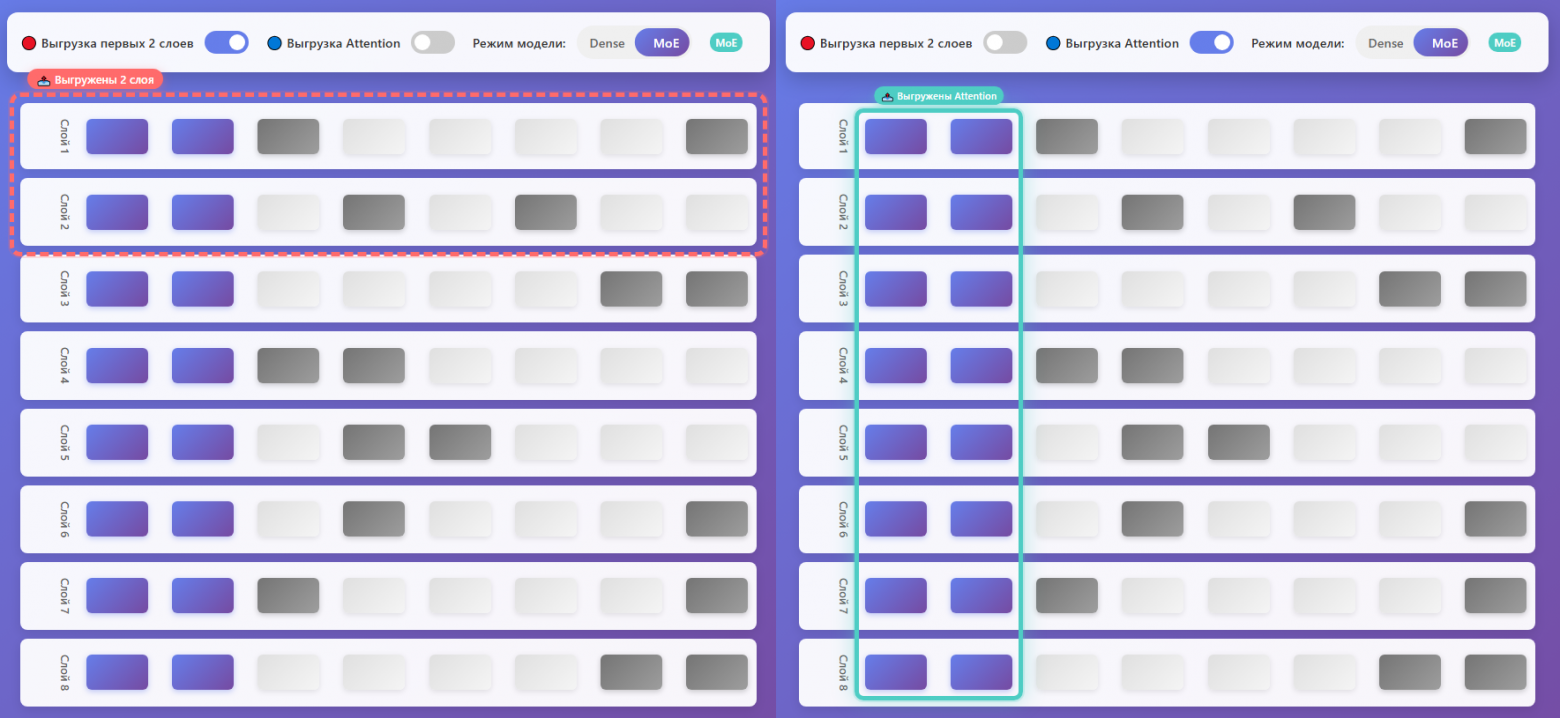
The key distinction of MoE architecture from Dense models is that the total number of parameters significantly exceeds the number of parameters activated to generate each new token. In MoE models, there are isolated expert sub-networks, and a learned routing network selects which experts process each specific token.
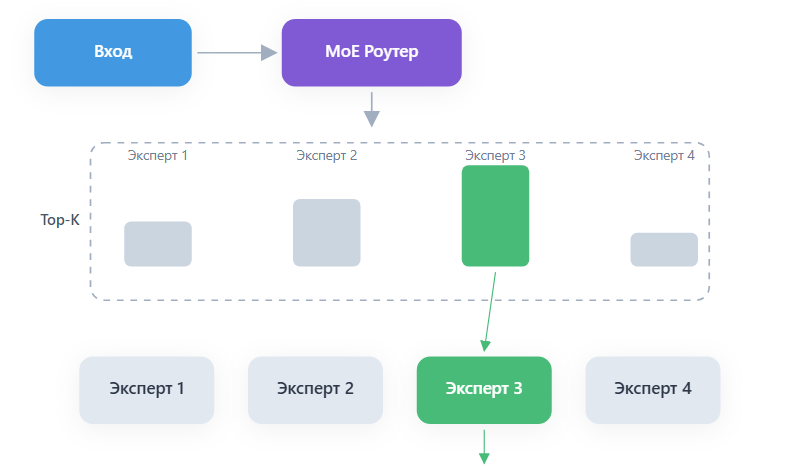
In Dense models, all parameters in every layer are activated for every token. In MoE models, only a subset is used. GPT-OSS-120B activates just 4 experts out of 128 available, requiring approximately 24 times fewer computational resources than an equivalent dense model with the same total parameter count.
The Problem: VRAM Waste
When you load a model onto GPU using the standard -ngl (number of GPU layers) parameter, entire layers are loaded into VRAM. But in MoE models, each layer contains dozens or hundreds of experts, and only a few are actually used per token. This means most of the VRAM is occupied by "sleeping" experts that aren't contributing to the current computation.
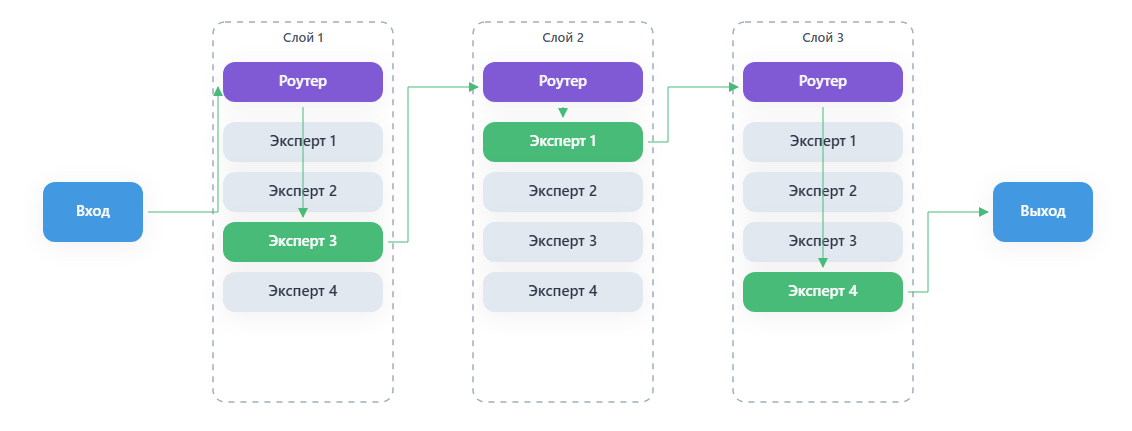
The Solution: The -cmoe Parameter
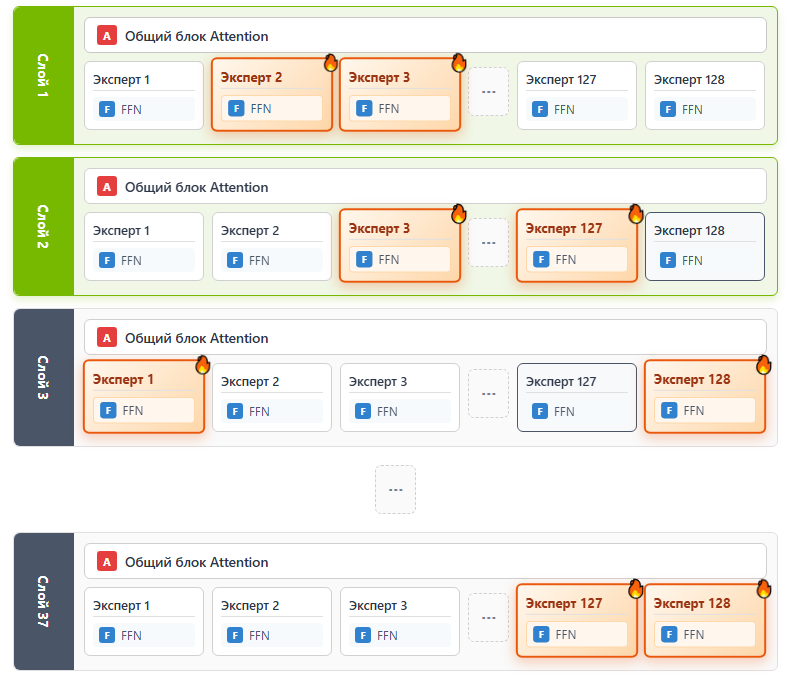
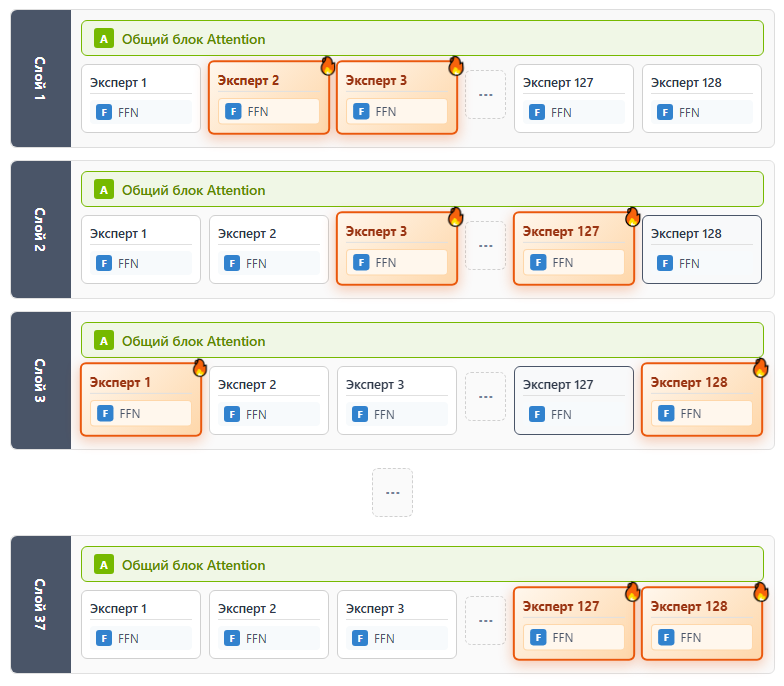
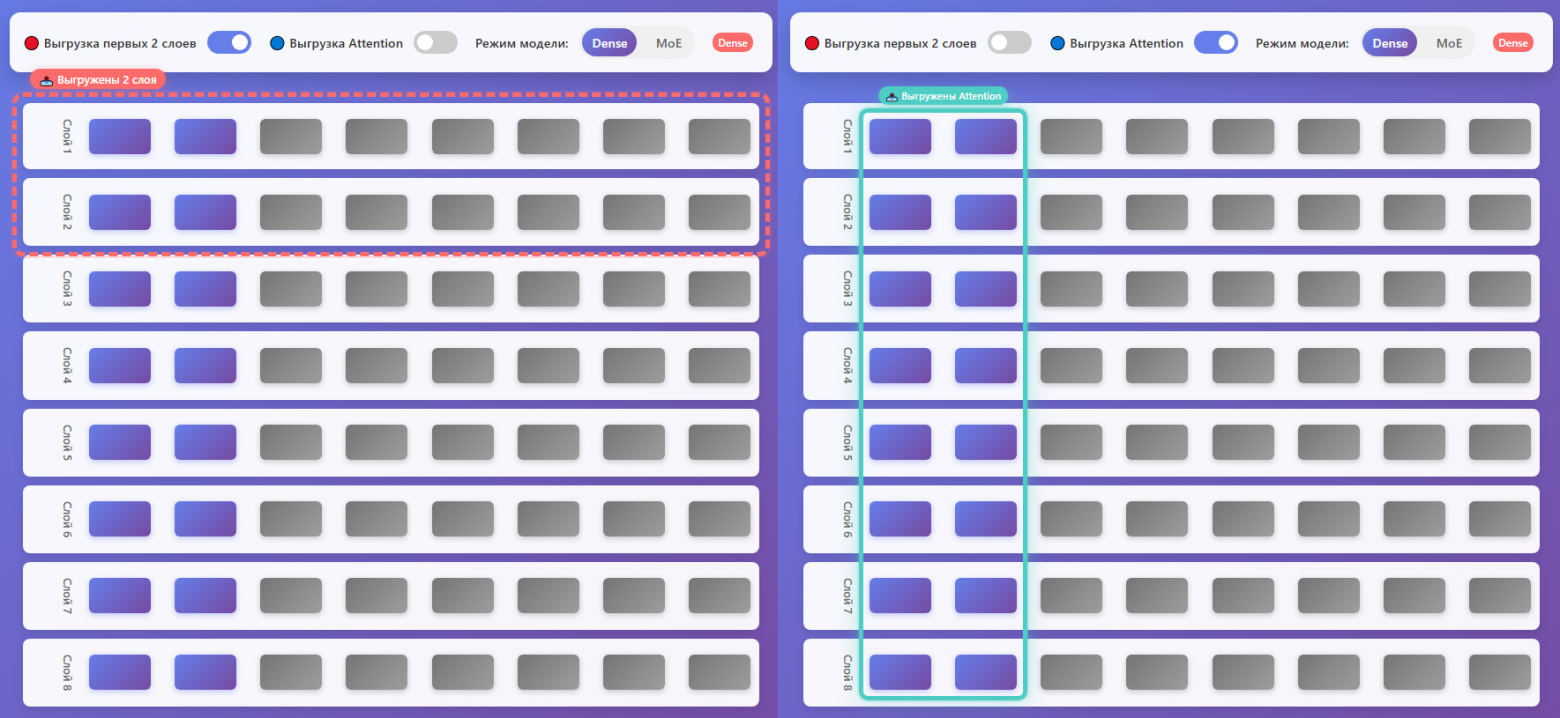
The -cmoe (or --cpu-moe) flag in llama.cpp redistributes tensors strategically. Instead of loading entire layers to GPU, this parameter:
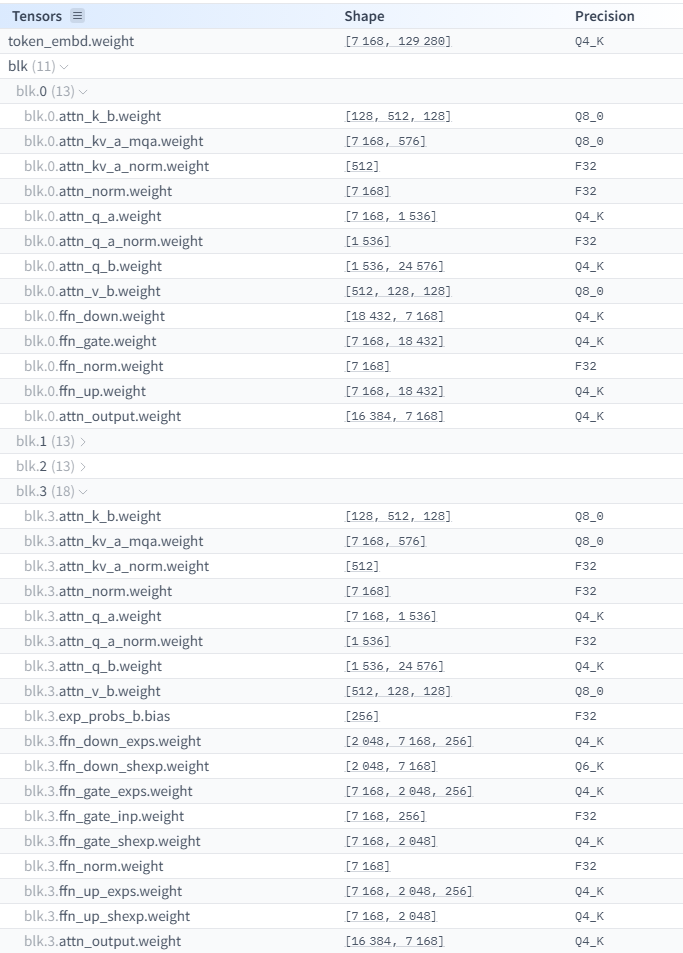
- Keeps attention tensors and shared layers on GPU — these are used for every token
- Moves expert parameters to CPU/RAM — since only a few are active per token, CPU access speed is sufficient
- Increases GPU utilization efficiency
- Reduces wasted VRAM on inactive experts
- Maintains continuous GPU engagement for the operations that matter most

Basic Launch Command
.\llama-server.exe -m "path/to/model" -fa 1 -cmoe -ngl 99 -c 8192 --jinjaLet's break down the flags:
-fa 1— Flash Attention, optimizes memory usage for context-cmoe— CPU MoE mode, offloads experts to RAM-ngl 99— load all layers to GPU (attention parts stay on GPU, experts go to CPU)-c 8192— context window size--jinja— enables chat template formatting
Benchmark Results
Testing on a system with Intel i7-14700, NVIDIA RTX 4090 (24 GB VRAM):

- Standard -ngl (no optimization): 18.9 t/s
- With -cmoe -ngl 99: 24.3 t/s (+29% improvement)
- With -ncmoe 23: 34 t/s (+80% improvement!)
The -ncmoe parameter specifies exactly how many layers to keep in CPU MoE mode, giving finer control over the GPU/CPU split. With -ncmoe 23, the model uses only about 3 GB of VRAM instead of 23 GB — a massive reduction!
Budget Hardware: AMD RX 6600
You don't need an RTX 4090 to benefit from this approach. Testing on a budget system with AMD RX 6600 (8 GB), Ryzen 5600G, 64 GB DDR4-3600:
Result: 13.1 t/s — a perfectly comfortable speed for interactive local use. This proves that MoE models truly democratize access to large language models beyond high-end hardware.
Optimized Launch for Maximum Throughput
.\llama-server.exe -hf unsloth/gpt-oss-120b-GGUF:Q8_K_XL -fa 1 -ncmoe 25 -ngl 99 -ub 4092 -b 4092 -c 65536 --jinjaAdditional Optimization Parameters
-ub 4096 -b 4096— increases batch sizes for faster context processing (prompt evaluation)-ctk q8_0 -ctv q8_0— KV-cache quantization when VRAM is constrained; reduces memory usage at a small quality cost-fa 1— Flash Attention is essential for efficient long-context handling
Supported MoE Models
The -cmoe technique works with many MoE models available today. Here's a catalog of notable ones:
- Qwen3 series: From 4B to 480B parameters, with active parameters from 2.8B to 35B
- GLM-4.5-Air: A competitive MoE model with efficient expert routing
- DeepSeek V3.1: 671B total / 37B active parameters
- Llama-4-Maverick: Meta's MoE entry
- Kimi K2: From Moonshot AI
- GPT-OSS-120B: 120B total / ~5B active — the star of this article
Models with small active parameter counts (3B-5B) can even run entirely on CPU for users without dedicated GPUs, though at lower speeds.

Conclusion
The MoE architecture combined with the -cmoe optimization in llama.cpp is a game-changer for local LLM deployment. You no longer need a $2,000 GPU to run a 120-billion-parameter model. A mid-range GPU with 6-8 GB of VRAM and sufficient system RAM is enough to achieve practical generation speeds of 13-34 tokens per second. The key insight is simple: if only 4 out of 128 experts are active at any time, there's no reason to waste precious VRAM storing the other 124.




