I Use Zip Bombs to Protect My Server
Instead of simply blocking malicious bots, one developer responds to them with specially crafted gzip files that decompress to gigabytes of zeroes, crashing the bot's process. The article explains the technique, provides the shell command and PHP implementation, and honestly addresses its limitations.
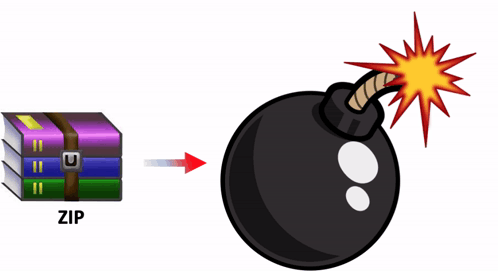
The majority of internet traffic is generated by bots. Many of them are legitimate — RSS readers, search engine crawlers, AI bots gathering training data. But some are harmful. At a previous employer, a bot discovered a WordPress vulnerability and injected a malicious script into our server.
A zip bomb is a relatively small compressed file that can unpack into a very large file and overload a machine. Rather than simply blocking malicious requests, I send the bots something they cannot easily ignore.
A Brief History of Compression
Compression has been part of web delivery since the early days of the internet. An HTML file of 50 KB can often be compressed to 10 KB. Browsers advertise their support by sending the request header:
Accept-Encoding: gzip, deflateWhen the server sees this header, it is allowed to respond with a gzip-compressed body. The browser decompresses it transparently before rendering. This exchange has been standard practice for decades and is virtually universal.
Why Bots Are Vulnerable
Web crawlers also send Accept-Encoding: gzip, deflate. They do this to maximise the volume of content they can process — compression reduces bandwidth and speeds up crawling. But this means that if the server sends a compressed response, the crawler will faithfully decompress it.
When I detect that a request is malicious — either because the IP is on my blacklist or because the behaviour pattern looks hostile (attempting injections, probing for vulnerabilities, following an attack with a verification check) — I respond with HTTP 200 OK and stream a gzip file. The bot receives what looks like a legitimate response and attempts to decompress it. What it actually receives decompresses to gigabytes of null bytes, exhausting the bot's memory and crashing its process.
Creating the Zip Bomb
The file is created with a single shell command:
dd if=/dev/zero bs=1G count=10 | gzip -c > 10GB.gzBreaking it down:
dd— copies and converts dataif=/dev/zero— reads from the special device that produces an infinite stream of zero bytesbs=1G— processes data in 1 GB blockscount=10— processes 10 blocks, producing 10 GB of zeros in total| gzip -c— compresses the stream on the fly> 10GB.gz— writes the result to a file
Because zeros compress extremely well, the resulting 10GB.gz file is only about 10 MB on disk. I also keep a smaller variant — a 1 MB file that decompresses to 1 GB — for less persistent bots. Either is sufficient to crash most automated crawlers.
Server-Side Implementation
The detection and response logic is straightforward:
if (ipIsBlackListed() || isMalicious()) {
    header("Content-Encoding: deflate, gzip");
    header("Content-Length: " . filesize(ZIP_BOMB_FILE_10G));
    readfile(ZIP_BOMB_FILE_10G);
    exit;
}
The server sets Content-Encoding: deflate, gzip so the client knows to decompress the response, sets the correct Content-Length, and streams the bomb file. From the bot's perspective it has received a normal 200 OK response with a valid compressed body. The decompression is what kills it.
Limitations
A zip bomb does not guarantee complete security. It can be detected and bypassed — a sophisticated attacker could inspect the file size ratio before decompressing, or decompress only partially and discard the rest. It is most effective against blind crawlers that simply fetch everything they encounter.
In practice, most bots crash during decompression and stop bothering the server. The 1 MB variant is usually enough; the 10 MB version serves as a backup for scripts that are more persistent. The technique is not a silver bullet, but it adds a meaningful layer of friction for automated attackers at essentially zero cost.
FAQ
What is this article about in one sentence?
This article explains the core idea in practical terms and focuses on what you can apply in real work.
Who is this article for?
It is written for engineers, technical leaders, and curious readers who want a clear, implementation-focused explanation.
What should I read next?
Use the related articles below to continue with closely connected topics and concrete examples.





